Understanding Game Lag
For any gamer, experiencing game lag can be one of the most frustrating challenges. Game lag refers to the noticeable delay between a player's actions and the game's response. This lag can significantly impact your gaming experience, causing missed shots in a shooter or delayed responses in a strategy game. In Malaysia, where mobile gaming has seen explosive growth, understanding the nuances of game lag is crucial, especially on Android devices.
Mobile gaming is particularly susceptible to lag due to various factors, including hardware limitations, network connectivity, and the inherent processing constraints of smartphones. With devices like Samsung, Xiaomi, Google, and OnePlus leading the market, optimizing gameplay on these platforms is essential for a smooth experience.
Common Causes of Lag
Several factors contribute to game lag on Android devices. Here are some of the most common causes:
- Hardware Limitations: Many mobile devices, especially budget models, may lack the necessary processing power or RAM to run demanding games smoothly. Games with high graphics settings can quickly overwhelm these devices.
- Network Issues: A stable internet connection is critical for online gaming. High latency or packet loss can cause significant lag, particularly in multiplayer environments. Malaysian gamers often face challenges with network stability during peak usage times.
- Background Processes: Many apps running in the background can consume system resources. This can lead to reduced performance while gaming, as your device struggles to allocate enough resources to the game itself.
- Software Bugs: Outdated game versions or buggy software can lead to performance issues. It’s essential to keep both your games and the Android operating system updated to minimize these problems.
Optimizing Game Settings
One of the most effective ways to combat game lag is by optimizing your game settings. Here are some practical tips:
- Adjust Graphics Settings: Lowering the graphics quality can significantly enhance performance. Most games offer settings such as 'Low', 'Medium', or 'High'. If you notice lag, consider switching to 'Low' or 'Medium' to improve frame rates.
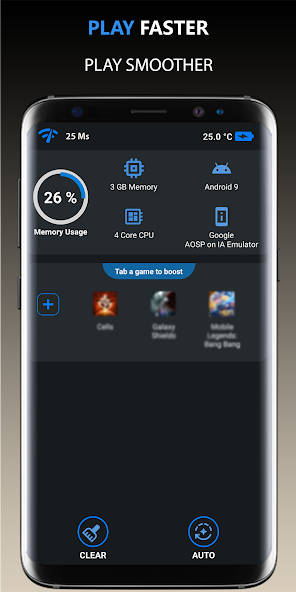
- Turn Off Background Processes: Before launching your game, close any unnecessary applications running in the background. This will free up valuable RAM and processing power. You can do this by accessing the app switcher on your device.
- Enable Game Mode: Many Android devices come with a built-in 'Game Mode' feature that optimizes performance by restricting background apps and notifications while gaming. Check your device's settings to activate this feature.
- Use Battery Saver Mode Wisely: While battery saver mode can extend your device's life during gaming sessions, it may throttle performance. If you’re looking for the best gameplay experience, consider disabling it while gaming.

Recommended Apps to Fix Lag
There are several apps designed to help optimize performance and reduce lag on Android devices. Here are some top recommendations:
- Game Booster: This app optimizes your device's resources for gaming. It closes background apps and enhances network performance, allowing you to enjoy smoother gameplay.
- Greenify: Known for its ability to put apps into hibernation, Greenify can help free up resources and reduce lag. It’s particularly useful for devices with limited RAM.
- CCleaner: While primarily known for cleaning junk files, CCleaner also monitors system performance, helping you identify and close resource-hogging applications.
- GFX Tool: Specifically designed for optimizing graphics settings in popular games, GFX Tool allows you to adjust resolution and graphics quality, providing a smoother gaming experience.
System Updates and Maintenance
Keeping your device updated is crucial for optimal performance. Regular updates often include performance enhancements and bug fixes that can help reduce lag. Here are some maintenance tips to consider:
- Regularly Check for System Updates: Android regularly releases updates to improve system performance. Go to Settings > About Phone > System Updates to check for the latest updates.
- Clear Cache: Over time, cached data can accumulate and slow down your device. Regularly clearing your app cache can help maintain smooth performance.
- Uninstall Unused Apps: If you have apps that you no longer use, consider uninstalling them. This can free up space and resources, helping your device run smoother during gaming.
Frequently Asked Questions
What causes game lag on Android?
Game lag on Android can be caused by various factors, including hardware limitations, network connectivity, background processes, and outdated software. Addressing these issues can significantly improve performance.
How can I boost performance for gaming on Android?
Boosting performance can be achieved by optimizing game settings, using performance-enhancing apps, regularly updating your device, and maintaining system health through proper maintenance practices.
In 2026, with the increasing popularity of mobile gaming in Malaysia, understanding how to tackle game lag is essential for any serious gamer. By implementing these fixes and optimizations, you'll not only improve your gaming experience but also enhance your overall device performance, allowing you to stay competitive in the vibrant gaming community.