Introduction
In the vibrant world of mobile gaming, nothing is more frustrating than experiencing game lag. Game lag refers to the delay between your input and the game’s response, which can lead to missed shots, poor timing, and an overall disappointing experience. For gamers in Malaysia, where mobile gaming is a popular pastime, lag can hinder not just enjoyment but also competitive play. In 2026, over 70% of Android users report encountering lag during their gaming sessions. This article will explore effective game lag fixes specifically for Android devices, ensuring that your gaming experience is as smooth as possible.

Causes of Game Lag
Understanding the reasons behind game lag on your Android device is key to resolving it. Several common factors contribute to this irritating phenomenon:
- Network Issues: A poor internet connection can cause significant lag, especially in online games. This is prevalent in areas with fluctuating Wi-Fi signals or limited mobile data coverage.
- Device Performance: Older or lower-end Android devices, such as some budget models from brands like Xiaomi, may struggle to keep up with demanding games, leading to slowdowns and stutters.
- Background Apps: Many Android users may not realize that apps running in the background can consume valuable system resources, resulting in reduced performance during gaming.
- Graphics Settings: High graphics settings can overload your device’s GPU, especially in graphically intensive games. This can lead to frame rate drops and lag.
Quick Fixes
Before diving into complex solutions, there are several simple and effective tweaks you can apply to enhance your gaming experience:
- Close Background Apps: Ensure all unnecessary applications are closed before launching your game. This frees up RAM and processing power, enabling smoother gameplay.
- Adjust Graphics Settings: Lowering the graphics settings in your game can significantly enhance performance. Many popular games allow you to toggle between low, medium, and high settings.
- Clear Cache: Regularly clearing the cache of your games and apps can improve performance. Go to Settings > Apps > [Your Game] > Storage > Clear Cache.
- Switch to Airplane Mode: If you’re playing offline, switching to airplane mode can help reduce background data usage that may interfere with your game.
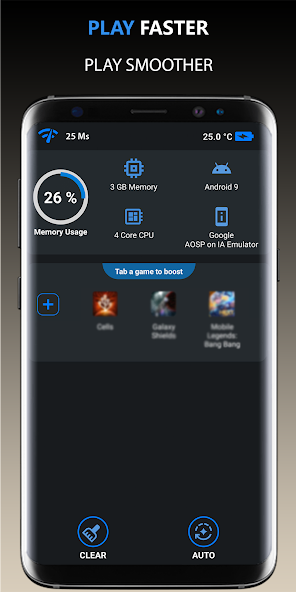
- Use Performance Booster Apps: There are many apps available on the Google Play Store designed to optimize your device for gaming. These can help manage RAM and CPU usage effectively.

Advanced Solutions
If you find that quick fixes aren’t enough, consider these more advanced solutions to tackle game lag:
- Upgrade Hardware: If you’re using an older device, it might be time to consider an upgrade. Modern smartphones, like the latest Samsung Galaxy or high-end Xiaomi models, offer superior performance and can handle demanding games with ease.
- Use a Gaming Mode: Many Android devices come with a dedicated gaming mode that optimizes settings for gaming. This feature can be found in devices like Samsung and Xiaomi, allowing for a smoother experience.
- Network Optimization: Invest in a good quality router if you’re gaming on Wi-Fi. Using a wired connection, if possible, can also drastically reduce lag.
- Regular Software Updates: Keep your Android operating system and apps updated. Manufacturers frequently release updates that can enhance performance and fix bugs that may be causing lag.
User Experiences
Many gamers in Malaysia have shared their experiences with game lag and the steps they took to overcome it. Here are a few testimonials:
- Ahmad from Kuala Lumpur: “I used to face lag issues all the time while playing PUBG Mobile. After clearing my cache and lowering the graphics settings, my gameplay improved a lot. I also switched to a better internet plan, which made a huge difference!”
- Siti from Penang: “My Xiaomi phone struggled with lag during games. I discovered the gaming mode feature and it was a game-changer! It optimized everything and now I can play without interruptions.”
- Rizal from Johor: “Upgrading to a Samsung Galaxy S21 was the best decision. The performance boost was incredible, and I hardly experience lag anymore. Plus, the graphics look stunning!”
FAQs
What causes game lag on Android?
Game lag on Android can be caused by a variety of factors, including poor internet connectivity, background applications consuming system resources, outdated hardware, and high graphics settings that overwhelm the device’s GPU.
How can I boost my Android's gaming performance?
To boost your Android's gaming performance, you can close background apps, lower graphics settings, clear cache, use performance booster apps, and consider upgrading to a newer device if necessary. Additionally, ensure your device is updated and check your internet connection for stability.
With these insights and fixes, the Malaysian gaming community can enhance their Android gaming experience in 2026, minimizing lag and maximizing enjoyment. Remember, a smoother gaming session can lead to better performance and more victories!