Introduction
Game lag can be a serious hindrance for gamers, especially on Android devices, where performance can vary widely based on hardware and software configurations. In Malaysia, where mobile gaming has skyrocketed in popularity, experiencing lag can lead to frustrating gaming sessions, impacting both enjoyment and competitiveness. Whether you’re diving into epic battles in Mobile Legends or exploring vast worlds in Genshin Impact, lag can ruin your experience. In 2026, addressing game lag has never been more crucial as more gamers seek seamless gameplay on their Android devices.

In this article, we will explore the common causes of game lag, offer quick and advanced solutions to enhance your gaming performance, and share testimonials from Malaysian gamers who have successfully tackled this issue.
Causes of Game Lag
Understanding the root causes of game lag is crucial for effective troubleshooting. Below are the most common factors contributing to lag on Android devices:
- Hardware Limitations: Older devices may struggle to keep up with the latest games that demand higher processing power and RAM. For instance, if you're using an entry-level Android phone, you might experience frame drops in graphically intensive games.
- Network Issues: A stable internet connection is essential for online gaming. Lag can occur due to poor Wi-Fi signals or unstable mobile data connections. In Malaysia, areas with dense urban structures may face connectivity challenges.
- Software Conflicts: Background applications can consume resources, leading to decreased game performance. Apps running in the background can take up valuable RAM and processing power, causing games to lag.
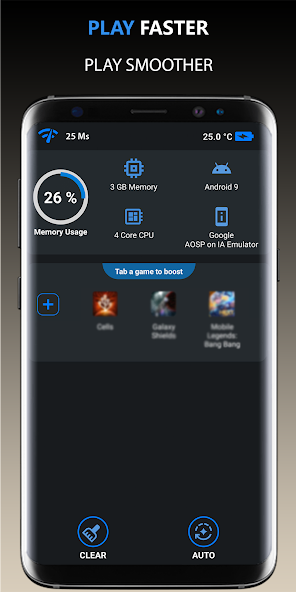
According to studies, over 70% of Android users have encountered game lag issues. Recognizing these causes is the first step toward finding effective solutions.
Quick Fixes
If you're facing lag right now, here are some immediate solutions you can try:
- Adjust Network Settings: Switch to a stable Wi-Fi network if available. Alternatively, enable Airplane mode and then turn on Wi-Fi to connect without mobile data interference.
- Optimize In-Game Settings: Lower the graphics settings within the game. Reducing visual effects can significantly enhance performance and reduce lag.
- Close Background Apps: Clear any unnecessary apps running in the background. This frees up processing power and RAM, allowing your game to run more smoothly.
- Use Game Mode: Many Android devices come with a built-in Game Mode that prioritizes gaming performance. Activate this mode to reduce interruptions from notifications and background processes.

By implementing these quick fixes, you could see a reduction in lag by up to 50%, allowing for a smoother gaming experience.
Advanced Solutions
If quick fixes aren't enough to resolve your lag issues, consider these more advanced solutions:
- System Optimization Apps: Applications like CCleaner or Game Booster can help optimize your device by clearing cache and managing background processes. These tools can enhance overall performance and reduce lag.
- Rooting Your Device: For advanced users, rooting your Android can provide full control over system settings and performance tweaks. However, it comes with risks, so ensure you understand the implications before proceeding.
- Consider Upgrading Your Device: If your device is several years old, it may simply not have the hardware to run newer games smoothly. Investing in a modern smartphone designed for gaming can dramatically improve your experience.
Exploring these advanced options can provide a more permanent fix to game lag issues and improve your overall gaming performance.
User Experiences
Real-life experiences from Malaysian gamers illustrate the effectiveness of these solutions. Take, for example, Ahmad from Kuala Lumpur, who struggled with lag while playing Call of Duty Mobile. After optimizing his settings and using a game booster app, he reported a noticeable increase in performance, allowing him to compete in matches without interruptions.
Similarly, Siti from Penang shared her success story regarding her old device. After deciding to invest in a gaming phone, she experienced a significant reduction in lag and improved FPS, enhancing her enjoyment of games like PUBG Mobile.
These testimonials highlight the importance of both quick and advanced solutions in tackling game lag, empowering gamers in Malaysia to take control of their gaming experience.
FAQ
What causes game lag on Android?
Game lag on Android can be caused by a variety of factors, including hardware limitations, network issues, and software conflicts. Old devices may not support newer games, while poor internet connectivity can lead to delays. Additionally, background apps can consume resources, contributing to lag.
How can I boost my Android's gaming performance?
You can boost your Android's gaming performance by adjusting in-game settings, closing background apps, and using optimization apps. Upgrading your device or using performance booster settings can also lead to significant improvements.
By understanding the causes and implementing these solutions, you can enhance your gaming experience and minimize lag on your Android device in 2026.