Introduction
In the vibrant world of mobile gaming, the thrill of action-packed battles and immersive adventures can quickly turn frustrating when game lag rears its ugly head. For many Android users in Malaysia, experiencing game lag can diminish the enjoyment of their favorite titles. In 2026, it's estimated that over 70% of Android users face game lag issues, making it a common concern among gamers. This article explores the causes of game lag and offers actionable solutions to optimize your gaming experience.

Causes of Game Lag
Understanding the root causes of game lag is essential for any gamer looking to enhance their performance. Here are some of the most common factors behind lag on Android devices:
Hardware Limitations
The specifications of your Android device play a significant role in gaming performance. Older devices may struggle with demanding games, particularly those requiring high graphics processing. Key hardware components such as the processor (CPU), graphics processing unit (GPU), and RAM can all impact how smoothly a game runs. If your device's specs are below the recommended requirements for a game, you're likely to encounter lag.
Network Issues
For online multiplayer games, a stable internet connection is crucial. Poor Wi-Fi or mobile data connections can lead to significant delays, commonly known as latency. In Malaysia, where internet speeds can vary, ensuring a strong and stable connection is vital for a lag-free gaming experience. Network congestion during peak hours can also contribute to lag, making it essential to play during off-peak times when possible.
Quick Fixes
Before diving into advanced solutions, there are several quick fixes you can implement to reduce lag on your Android device:
Clearing Cache
Over time, cache files can accumulate and slow down your device. Clearing the app cache can free up space and improve performance. Here’s how to do it:
- Go to Settings on your Android device.
- Select Apps or Application Manager.
- Find the game that is lagging and tap on it.
- Select Storage, then tap on Clear Cache.
Doing this regularly can help maintain optimal performance. As you can see above, clearing the cache is a simple yet effective way to tackle game lag.

Adjusting Settings
Another effective way to reduce lag is by adjusting the in-game settings. Most modern games allow you to tweak graphics settings, resolution, and more. Here are some tips:
- Lower the graphics quality to reduce the strain on your device.
- Disable features like shadows and reflections that demand more processing power.
- Set the frame rate to a lower setting if you experience frequent drops.
These adjustments can lead to a smoother gaming experience, reducing lag by up to 50% in some cases.
Advanced Solutions
If the quick fixes don't solve your lag issues, consider these advanced strategies for optimizing your Android gaming experience:
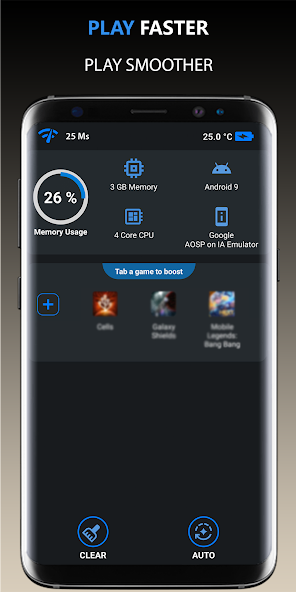
Using Performance-Boosting Apps
Numerous apps are designed to enhance gaming performance by optimizing system resources. Some popular options include:
- Game Booster: This app prioritizes gaming traffic and frees up memory to improve performance.
- GFX Tool: Ideal for games like PUBG, it allows you to customize graphics settings beyond the default options.
- CCleaner: This helps in cleaning up unnecessary files and optimizing your device.
Using these performance boosters can significantly enhance your gaming experience by minimizing lag and increasing FPS.
Upgrading Your Device
Sometimes, the best solution is to upgrade your hardware. If your device struggles to run newer games, consider investing in a more powerful Android phone. Look for devices with:
- A high-performance processor (Snapdragon 8 series or equivalent).
- At least 6GB of RAM for better multitasking.
- Good thermal management to prevent overheating during extended gaming sessions.
Upgrading can provide a smoother gaming experience and future-proof your device for upcoming titles.
User Experiences
Many gamers in Malaysia have shared their experiences with game lag and the solutions that worked for them. For instance, Adam from Kuala Lumpur mentions, “I used to face lag all the time in Call of Duty Mobile, but after clearing the cache and adjusting my graphics settings, I saw a significant improvement!”
Similarly, Siti from Penang said, “Switching to a performance-boosting app changed my gaming experience entirely. My games run much smoother now.” These testimonials highlight the effectiveness of the strategies discussed in this article.
FAQ
What causes game lag on Android?
Game lag on Android can be caused by various factors, including hardware limitations, poor internet connectivity, and background applications consuming resources. Optimizing device settings and ensuring a stable network can help mitigate these issues.
How can I boost my Android's gaming performance?
To boost your Android's gaming performance, consider clearing cache files, adjusting in-game graphics settings, using performance-boosting apps, and possibly upgrading your device if necessary. These steps can significantly enhance your gaming experience while reducing lag.
By understanding the causes of game lag and implementing these optimization tips, you can enjoy a more seamless gaming experience on your Android device. Whether you’re battling enemies in the latest mobile games or exploring vast open worlds, minimizing lag can lead to a more enjoyable and immersive experience for every Malaysian gamer.