Top 5 Game Lag Fixes for Android in 2026
As mobile gaming continues to grow in popularity across Malaysia, a common frustration among players is game lag. Game lag can significantly detract from the gaming experience, causing delays and interruptions that are particularly annoying during intense gameplay. In this article, we will explore the causes of game lag on Android devices, provide actionable solutions to reduce it, recommend tools and apps for optimization, and share user experiences from the Malaysian gaming community.
Causes of Game Lag
Understanding the root causes of game lag is crucial for any gamer looking to enhance their mobile gaming experience. Here are some common reasons:
- Hardware Limitations: Older Android devices may struggle with newer games that require more processing power and memory. For instance, if your device has limited RAM, it may not handle resource-intensive games smoothly.
- Background Applications: Running multiple apps in the background can consume system resources, leading to lag. This is especially true for apps that use data or processing power.
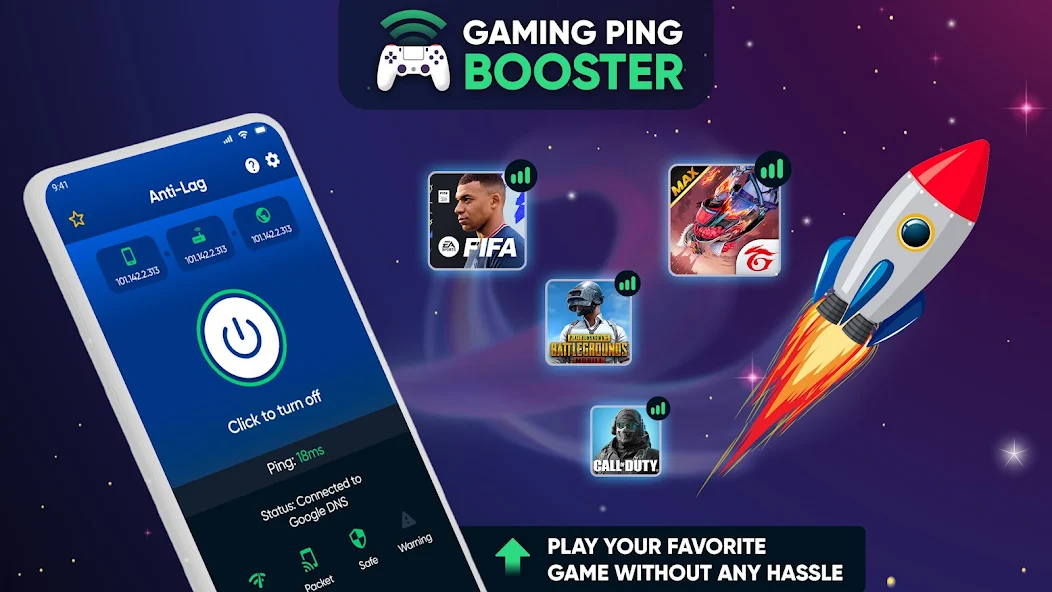
- Network Issues: A poor internet connection can cause latency in online games, leading to a frustrating lag experience. Wi-Fi interference, weak signals, or high data traffic can all contribute to this problem.
- Software Issues: Outdated software or apps can lead to compatibility issues. Regularly updating your Android OS and games can help mitigate lag.
- Graphics Settings: High graphics settings can overwhelm lower-end devices, resulting in lag. Adjusting these settings can lead to improved performance.
Over 70% of mobile gamers experience lag issues at some point, making it essential to identify and address these causes for smoother gameplay.
Step-by-Step Fixes
Now that we've covered the causes of game lag, let’s look at some practical fixes that can make a significant difference in your gaming experience:
1. Optimize Device Settings
Adjusting your device settings can improve performance by up to 50%. Here’s how:
- Go to Settings > Battery and enable Battery Saver mode while gaming.
- Disable Background Data for apps you don’t need while gaming. This can be done through Settings > Apps.
2. Clear Cache Data
Clearing the cache of your games and apps can free up valuable resources:
- Go to Settings > Storage > Cached Data and clear it.
- For individual apps, navigate to Settings > Apps, select the app, and then choose Clear Cache.
3. Adjust Graphics Settings
Reducing graphics quality can significantly reduce lag. Here’s how:
- Open the game and navigate to Settings or Graphics settings.
- Lower the resolution and frame rate settings.
4. Disable High-Performance Mode
Some devices automatically switch to high-performance mode when gaming. Disabling this can prevent overheating and throttling:
- Go to Settings > Battery and turn off High-Performance Mode.
5. Restart Your Device Regularly
Simply restarting your device can clear any temporary issues and free up memory, providing a fresh start for your gaming session.
Implementing these fixes can dramatically improve your gaming experience by reducing lag and enhancing performance.
Tools and Apps for Optimization
In addition to manual fixes, several apps and tools can assist in optimizing your Android device for gaming. Here are some highly recommended options:
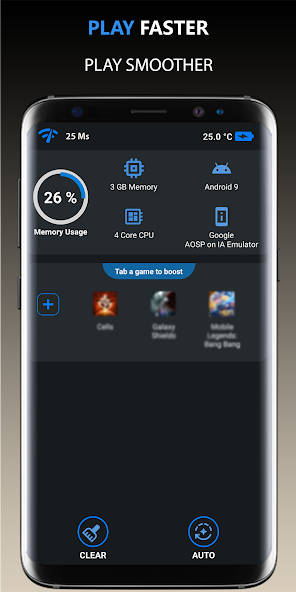
- Game Booster: This app automatically optimizes your device’s performance for gaming by clearing background apps and optimizing system resources.
- CCleaner: A popular app for clearing cache and optimizing device performance. It can help you manage storage and clear unnecessary files.
- Greenify: This app allows you to hibernate apps that you aren’t using, freeing up memory and CPU resources for gaming.
- GFX Tool: Specifically designed for gamers, this tool lets you customize graphics settings for supported games to reduce lag.
Using optimization apps can reduce lag significantly, providing a smoother gaming experience. Whether you choose free or paid options, the right tools can make a huge difference.

User Experiences
The Malaysian gaming community has shared numerous success stories regarding game lag fixes. Here are a few testimonials:
Aisha, Kuala Lumpur: "I was frustrated with lag during my favorite mobile battle royale game. After following the optimization tips, especially clearing the cache and adjusting the graphics settings, I noticed a remarkable improvement. Now, I can play without interruptions!"
Rizwan, Penang: "I used to think my older device was beyond saving. However, after using a game booster app and tweaking some settings, I can now play smoothly. It has truly transformed my gaming experience!"
Sarah, Johor Bahru: "I struggled with lag during online matches. After trying out the GFX Tool and lowering my graphics settings, the lag reduced significantly. I can finally enjoy gaming with my friends!"
These testimonials illustrate that with the right approach and tools, it is possible to overcome game lag and enjoy a seamless gaming experience on Android devices.
FAQ
What causes game lag on Android?
Game lag on Android can be caused by a variety of factors, including hardware limitations, background applications consuming resources, poor network connections, outdated software, and high graphics settings that overwhelm the device.
Can I fix lag without rooting my device?
Yes, you can fix lag without rooting your device. Many effective optimization techniques and apps are available that do not require root access. Adjusting settings, clearing cache, and using optimization apps can significantly reduce lag.
In conclusion, addressing game lag on Android devices is a multifaceted approach involving understanding its causes, implementing straightforward fixes, utilizing helpful tools, and sharing experiences within the gaming community. By following these tips, Malaysian gamers can enhance their gaming experience and enjoy smoother gameplay in 2026 and beyond.