Understanding Game Lag
Game lag refers to the delay between a player's action and the game's response. It's a frustrating experience for gamers, especially when every second counts in competitive play. In 2026, as mobile gaming continues to grow in popularity across Malaysia, understanding game lag is more important than ever. Lag can drastically affect gameplay, leading to missed opportunities, inaccurate controls, and overall dissatisfaction with the gaming experience. Whether you’re playing on a Samsung Galaxy, Xiaomi Mi, Google Pixel, or OnePlus device, the impact of lag is universally felt among players.
Common Causes of Lag
Several factors contribute to game lag on Android devices. Identifying these causes can help gamers implement effective fixes. Here are some typical reasons:
- Network Issues: One of the primary culprits of game lag is poor internet connectivity. This is especially true for multiplayer games that require a stable and fast connection. Whether it’s Wi-Fi interference or a weak mobile signal, network issues can lead to frustrating delays.
- Device Performance: The hardware specifications of your Android device play a crucial role in gaming performance. Older models may struggle with newer, resource-intensive games, leading to lag.
- Background Processes: Running multiple applications simultaneously can drain system resources. This can lead to decreased performance in games, resulting in noticeable lag.
- Game Settings: High graphics settings can overwhelm your device, especially if it isn’t equipped to handle them. This can slow down frame rates and create lag.
Optimizing Game Settings
Adjusting your game settings is a straightforward way to improve performance and reduce lag. Here are some configuration tips:
- Lower Graphics Quality: Start by reducing the graphics settings within the game. Opt for lower textures, effects, and resolution to lessen the load on your device.
- Disable V-Sync: Vertical synchronization can create input lag. Disabling it may result in a smoother gameplay experience.
- Reduce Frame Rate: If possible, lower the frame rate from high to medium or low. This can help maintain a stable performance during gameplay.
- Turn Off Background Music and Effects: Reducing the audio loads can help free up resources for smoother gameplay.
These optimizations can significantly enhance your gaming experience on devices like Samsung and Xiaomi. To illustrate, consider the screenshot below:

Recommended Apps to Fix Lag
There are several applications available on the Google Play Store that can help optimize your Android device for gaming. Here are some of the most effective ones:
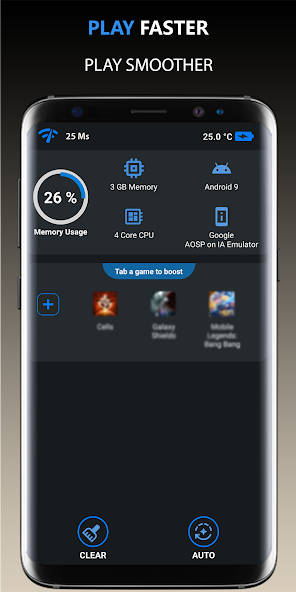
- Game Booster: This app helps allocate system resources to your games, reducing lag and improving performance. It’s widely used among gamers in Malaysia.
- CCleaner: By cleaning up unnecessary files and optimizing background processes, CCleaner can free up valuable resources for gaming.
- GFX Tool: Specifically designed for games like PUBG Mobile, GFX Tool lets you customize graphics settings beyond what the game allows, helping to reduce lag.
- Network Speed Booster: For those experiencing lag due to network issues, this app helps optimize your internet connection for gaming.
System Updates and Maintenance
Keeping your Android device up to date is crucial for optimal performance. Regular system updates can fix bugs and improve device efficiency, which in turn enhances gaming performance. Here’s how you can maintain your device:
- Check for Updates: Regularly check your device for software updates. These updates often contain performance enhancements and security fixes.
- Clear Cache: Over time, cached data can accumulate and slow down your device. Clear the cache regularly to free up space and improve performance.
- Uninstall Unused Apps: Remove apps that you no longer use. This can help free up RAM and storage space, allowing your games to run more smoothly.
By following these maintenance tips, you can ensure that your Android device remains in top shape for gaming.
FAQs
What causes game lag on Android?
Game lag on Android can be caused by a variety of factors, including poor network connectivity, outdated hardware, background applications consuming resources, and high in-game graphics settings that exceed your device's capabilities.
How can I boost performance for gaming on Android?
To boost performance, consider optimizing game settings, using performance-enhancing apps, keeping your device up to date, and regularly clearing cache and unused apps. Lowering graphics settings and ensuring a stable internet connection can also greatly reduce lag.
In the competitive world of gaming, especially in Malaysia's vibrant community, reducing game lag can significantly enhance your experience. By understanding the causes of lag and applying the fixes mentioned above, you can enjoy a smoother, more responsive gaming experience on your Android device in 2026.