Introduction
In 2026, the mobile gaming scene in Malaysia is thriving, with millions of players enjoying a variety of games on their Android devices. However, game lag remains a frustrating issue for many gamers. Over 70% of Android users report experiencing lag during gameplay, which can severely affect the gaming experience. Whether you’re battling in a multiplayer arena or exploring vast open worlds, lag can disrupt your focus and enjoyment.

This article will explore the common causes of game lag on Android devices and provide actionable solutions tailored for gamers in Malaysia. Whether you're a casual player or a competitive gamer, understanding how to fix game lag can significantly enhance your gaming performance.
Causes of Game Lag
Before diving into solutions, it's essential to understand the underlying causes of game lag. Several factors can contribute to this issue:
- Hardware Limitations: Many Android devices, especially older models, may not have the processing power or RAM required to run graphically intensive games smoothly. The limited hardware can lead to lower frame rates (FPS) and increased lag.
- Software Issues: Outdated software or apps can also cause game lag. Background processes consuming system resources can hinder your device’s performance during gameplay.
- Network Problems: For online games, a slow or unstable internet connection can lead to significant lag. This can be particularly problematic in certain areas of Malaysia where internet infrastructure may not be optimal.
- Graphics Settings: High graphics settings can put a strain on your device. If the game’s graphics settings are too high for your device capabilities, it will result in noticeable lag.
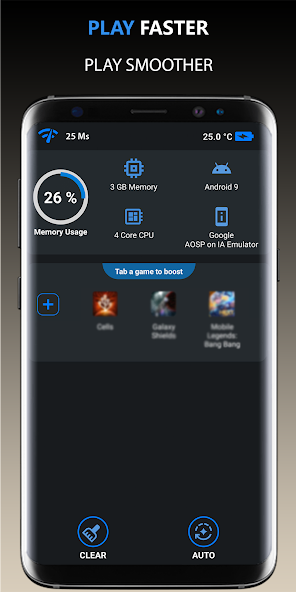
Identifying these causes is the first step towards fixing them and improving your overall gaming experience.
Quick Fixes
If you’re experiencing game lag, there are several quick fixes you can apply immediately to reduce it:
- Close Background Apps: Before you start gaming, close any unnecessary apps running in the background. This frees up RAM and processing power, allowing your game to run more smoothly.
- Reduce Graphics Settings: Most games allow you to adjust graphics settings. Lowering the resolution and detail can significantly improve performance. You might be surprised how much smoother gameplay can become.
- Disable Unused Features: Features like Bluetooth and GPS can consume resources. If you’re not using them, turn them off to optimize your device's performance.
- Switch to Airplane Mode: If you’re playing offline, switching to airplane mode can help reduce lag by preventing background data usage and notifications.
- Restart Your Device: A simple restart can clear temporary files and refresh system resources, which often resolves lag issues.

Implementing these quick fixes can reduce lag and enhance your gaming experience almost instantaneously.
Advanced Solutions
If quick fixes don’t fully resolve your lag issues, consider these advanced optimization tips:
- Update Your Software: Ensure your Android OS and all apps are up to date. Software updates often include performance improvements that can help mitigate lag.
- Use Performance Booster Apps: There are several apps designed to optimize your Android device for gaming. These apps can help manage RAM usage and improve overall performance.
- Clear Cache and Data: Regularly clearing the cache for your games and apps can free up storage space and enhance performance. Go to Settings > Apps, select the game, and clear its cache.
- Adjust Developer Options: If you’re tech-savvy, you can tweak certain settings in the Developer Options menu (accessible by tapping the Build number in Settings > About phone several times). Adjusting the animation scale can lead to a snappier experience.
- Upgrade Your Device: If you consistently experience lag and your device is quite old, it may be time for an upgrade. Newer models come with improved hardware specifically designed for gaming.
These advanced solutions can significantly improve your gaming experience, especially for those who play high-demand games.
User Experiences
Many Malaysian gamers have successfully implemented these tips to tackle game lag. For instance, Ahmad, a 22-year-old student, shared his experience: “I was frustrated with lag during mobile esports matches until I learned to lower my graphics settings and close background apps. Now, I can focus on my gameplay without interruptions.” Similarly, Aisha, a 19-year-old gamer, found that regularly clearing her cache made a noticeable difference: “After clearing the cache, I saw an improvement in how smooth my games ran. It’s a simple step that really worked!”
These testimonials reflect a common sentiment among Android users: with the right knowledge and techniques, lag can be significantly reduced, making for a much more enjoyable gaming experience.
Conclusion
In 2026, as the mobile gaming landscape continues to evolve in Malaysia, addressing game lag on Android devices is more important than ever. By understanding the causes and implementing both quick and advanced fixes, you can optimize your device for a smoother gaming experience. Whether you’re casually playing or aiming for the top of the leaderboard, these tips can help you enjoy your games without the frustration of lag.
Remember, optimizing your device not only enhances your performance but also allows you to immerse yourself fully in the gaming adventures that await.