Understanding Game Lag
In the fast-paced world of mobile gaming, game lag can be a significant barrier to an enjoyable experience. Game lag refers to the delay between a player's action and the game's response, resulting in choppy gameplay, missed opportunities, and overall frustration. For gamers in Malaysia, especially those playing competitive titles or immersive RPGs, experiencing lag can be detrimental to their performance and enjoyment.
The significance of game lag cannot be overstated. Players depend on real-time responses from their devices, and even the slightest delay can make the difference between victory and defeat in games like Mobile Legends or PUBG Mobile. Understanding game lag is the first step in optimizing your Android device for a smoother gaming experience.
Common Causes of Lag
When it comes to Android gaming, several factors can contribute to lag. Identifying these issues is crucial for Malaysian gamers looking to enhance their performance.
- Hardware Limitations: Many popular Android devices like Xiaomi and Samsung offer great specifications, but older models or budget devices may struggle with demanding games, leading to lag.
- Network Issues: A reliable internet connection is vital for online gaming. High latency, packet loss, or poor Wi-Fi signals can severely impact gameplay. In Malaysia, where internet speeds vary, ensuring a stable connection is essential.
- Background Apps: Running multiple applications in the background can consume resources, leading to lag. Games require significant CPU and RAM, and if these are tied up, performance suffers.
- Software Glitches: Bugs or outdated software can also contribute to lag. This is particularly true for games that receive frequent updates.
Optimizing Game Settings
To combat lag effectively, optimizing game settings is crucial. Here’s a detailed breakdown of adjustments that can significantly enhance your gaming performance on Android:
- Lower Graphics Settings: Most games offer the option to adjust graphics quality. Reducing these settings can lead to smoother gameplay, especially on devices that are not top-of-the-line.
- Frame Rate Settings: If available, setting the frame rate to a stable value can help maintain consistent performance. Many games allow players to toggle between 30 FPS and 60 FPS; choosing 30 FPS may reduce lag on lower-end devices.
- Disable Background Processes: Before launching your game, close unnecessary applications running in the background. This frees up RAM and CPU resources for optimal game performance.
- Adjust Control Sensitivity: Fine-tuning the sensitivity settings can help improve responsiveness, making it easier to react quickly in competitive situations.

Recommended Apps
In addition to adjusting in-game settings, utilizing specific applications can greatly enhance your gaming experience on Android devices. Here are some recommended apps that can help:
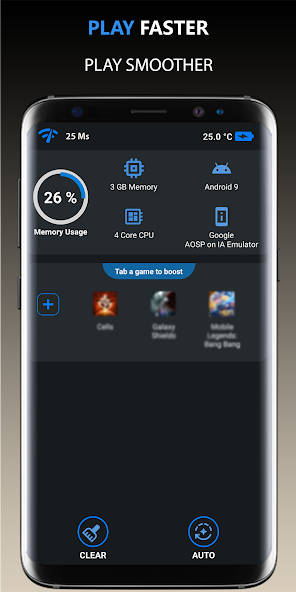
- Game Booster: This app optimizes your device's performance by closing background applications and clearing cache, ensuring that your game runs smoothly.
- Network Signal Info: To diagnose network issues, this app provides detailed information about your Wi-Fi and mobile data connection, allowing you to troubleshoot connectivity problems.
- Greenify: This app helps manage battery consumption and can enhance performance by putting apps into hibernation mode when they are not in use.
- CCleaner: Known for cleaning up storage space, CCleaner can also help in optimizing your device by removing unused files and speeding up performance.
System Updates and Maintenance
Regular updates and maintenance play a significant role in minimizing game lag. Here’s how you can keep your Android device performing at its best:
- Keep Your System Updated: Ensure that your Android operating system and apps are always up to date. Manufacturers like Google and OnePlus frequently release updates that enhance performance and fix bugs.
- Clear Cache Regularly: Over time, cache files can accumulate and slow down your device. Clearing these files can free up storage and improve performance.
- Perform Regular Device Maintenance: Periodically restarting your device can help clear temporary files and refresh system resources, making it easier to run demanding games.
- Consider Factory Reset: If lag persists, a factory reset may be necessary. This should be a last resort as it wipes your device completely, so ensure all data is backed up.
FAQ
What causes game lag on Android?
Game lag on Android can be caused by various factors, including hardware limitations of the device, network issues such as poor Wi-Fi connectivity, background apps consuming resources, and software glitches. Each of these elements can lead to delayed responses and a frustrating gaming experience.
How can I boost performance for gaming on Android?
To boost performance for gaming on Android, consider optimizing your game settings, utilizing performance-enhancing apps, and ensuring your device is regularly updated and maintained. Closing background applications and adjusting graphics settings can also significantly reduce lag and improve your overall gaming experience.
In summary, addressing game lag on Android devices is essential for gamers, especially in Malaysia, where competitive gaming is on the rise. By understanding the causes of lag, optimizing settings, utilizing helpful apps, and keeping your system maintained, you can enjoy a smoother gaming experience in 2026 and beyond.