Understanding Game Lag
Game lag is an all-too-familiar term among gamers, particularly for those using Android devices. It refers to the delay or slowdown in response time between a player's actions and the game's reactions. This can manifest as stuttering graphics, delayed inputs, or even complete freezes. In a competitive gaming environment, experiencing lag can mean the difference between victory and defeat, ruining your overall gaming experience.
For gamers in Malaysia, where mobile gaming is booming, encountering game lag can be particularly frustrating. With a vibrant community that enjoys everything from MOBA games like Mobile Legends to battle royales like PUBG Mobile, having a smooth gaming experience is essential. Reducing game lag can significantly enhance your enjoyment and performance, making it crucial to understand its causes and solutions.
Common Causes of Lag
There are several factors that can lead to game lag on Android devices. Understanding these can help you take action to minimize or eliminate them.
- Hardware Limitations: Many Android devices, especially older models, may not be equipped with the necessary processing power or RAM to handle demanding games. If your device struggles to keep up with graphics and processing demands, lag is inevitable.
- Software Issues: Outdated apps or operating systems can contribute to performance issues. If your game or device isn’t running the latest software, you might experience bugs and lag that could otherwise be fixed with an update.
- Network Problems: In Malaysia, mobile connectivity can vary widely based on location and network strength. A poor Wi-Fi connection or weak mobile data signal can lead to increased latency, which manifests as lag during gameplay.
Optimizing Game Settings
In addition to addressing hardware and network issues, optimizing your game settings can lead to a smoother gaming experience. Here are some tips for adjusting in-game settings:
- Reduce Graphics Quality: Many games allow you to adjust graphics settings. Lowering these settings can help improve performance if your device struggles with high-quality graphics.
- Disable Background Processes: Make sure to close unnecessary applications running in the background. This frees up RAM and CPU resources, allowing your game to run more smoothly.
- Adjust Frame Rate: Some games let you set a maximum frame rate. Limiting this to a lower value can help maintain consistent performance, especially if your device tends to overheat.

Recommended Apps
There are several apps available that can help optimize performance and reduce lag on your Android device:
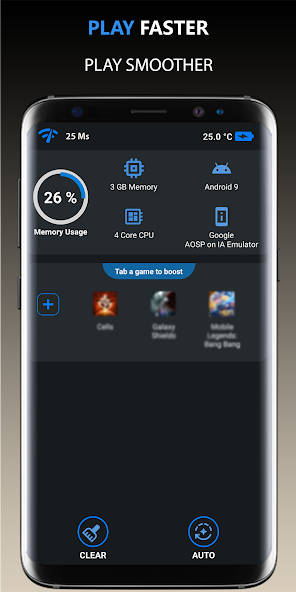
- Game Booster: This app temporarily shuts down background processes and optimizes your device’s resources while you play, leading to a smoother gaming experience.
- Network Signal Info: Understanding your network strength can help you make informed decisions about when to switch from Wi-Fi to mobile data or vice versa.
- CCleaner: This app helps clean up unnecessary files and cache that can slow down your device, further enhancing performance.
System Updates and Maintenance
Keeping your Android system up-to-date is crucial for performance optimization. Regular updates often include bug fixes, security patches, and performance enhancements that can reduce game lag. Here are some maintenance tips to keep your device running smoothly:
- Check for System Updates: Regularly check for Android updates and apply them as soon as they’re available. These updates can improve device stability and performance.
- Clear Cache: Periodically clear the cache of your games and apps. This can help remove temporary files that may slow down your device.
- Uninstall Unused Apps: If you have apps that you no longer use, uninstall them to free up space and resources, which can help improve overall performance.
Frequently Asked Questions
What causes game lag on Android?
Game lag on Android can be caused by various factors including hardware limitations, software issues, and network problems. If your device lacks sufficient processing power or RAM, or if you are experiencing poor connectivity, you may encounter lag during gameplay.
How can I boost performance for gaming on Android?
To boost gaming performance on Android, consider optimizing your game settings, using performance optimization apps, keeping your system updated, and ensuring that background processes are minimized. These steps can help reduce game lag and enhance your overall gaming experience.
By understanding the causes of game lag and implementing these strategies, Malaysian gamers can enjoy a significantly improved gaming experience on their Android devices in 2026. Whether you're grinding in a mobile RPG or competing in a fast-paced battle royale, reducing lag is key to achieving your best performance.