Understanding Game Lag
Game lag is a common issue faced by gamers, especially those using Android devices. It refers to the delay between a player's input and the game's response, which can manifest as stuttered graphics, delayed actions, or even complete freezes. This lag can severely impact the gaming experience, turning fast-paced action into a frustrating ordeal. For Malaysian gamers who enjoy competitive titles or online multiplayer games, even a fraction of a second can mean the difference between victory and defeat. Therefore, addressing game lag is crucial for enhancing overall performance and enjoyment.
Common Causes of Lag
Understanding the root causes of game lag can help you effectively address the problem. Here are some of the most common reasons:
- Hardware Limitations: Mobile devices, especially older models, may struggle to support graphics-intensive games. Insufficient RAM, outdated processors, and low-quality GPUs can lead to lag.
- Network Issues: A stable internet connection is essential for online gaming. Poor Wi-Fi signals, high latency, or data throttling can create significant lag. In Malaysia, where mobile networks can be inconsistent, this is a frequent concern for gamers.
- Software Conflicts: Background applications consuming resources can hinder gaming performance. Additionally, running outdated software or apps can lead to compatibility issues, resulting in lag during gameplay.
Optimizing Game Settings
Adjusting in-game settings is one of the most effective ways to reduce game lag. Here are some practical tips tailored for Android users:
- Lower Graphics Settings: Most games offer options to adjust graphics quality. Reducing settings such as texture quality, shadow detail, and resolution can significantly boost performance.
- Disable Background Processes: Before launching your game, close any unnecessary apps running in the background. This frees up resources that can be crucial for smooth gameplay.
- Adjust Frame Rate: If the game allows, set a lower frame rate. While this may impact visual smoothness, it can improve responsiveness and reduce lag during intense scenes.
- Use Game Mode: Many Android devices come with a dedicated game mode that optimizes settings specifically for gaming. This mode often prioritizes system resources for the game, leading to fewer interruptions and smoother performance.

Recommended Apps
Several apps are specifically designed to enhance gaming performance on Android devices. Here are some top recommendations for Malaysian gamers:
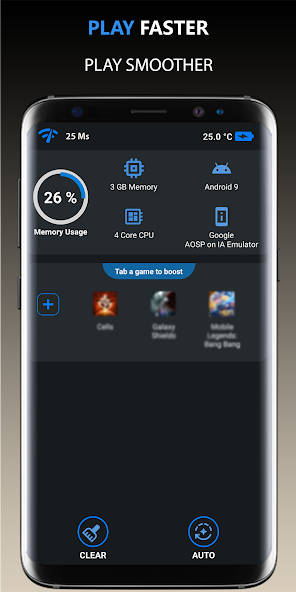
- Game Booster: This app optimizes your device by freeing up memory and shutting down background processes, ultimately leading to a smoother gaming experience.
- NordVPN: For those facing network-related lag, a VPN can help stabilize your connection, especially for online gaming, by reducing ping and preventing throttling.
- CCleaner: Keeping your device clutter-free can significantly improve performance. CCleaner helps in clearing cache and unwanted files that could be causing lag.
- GFX Tool: This app allows you to tweak graphics settings for games that do not support custom options inherently, enabling a better balance between visuals and performance.
System Updates and Maintenance
Regular system updates and device maintenance are essential to keep your Android device running smoothly and minimize game lag:
- Update Your OS: Ensure your Android operating system is always up-to-date. Developers release updates that often include performance improvements and bug fixes that can alleviate lag.
- Clear Cache Regularly: Cached data can accumulate over time, slowing down your device. Regularly clearing the cache for both your device and individual apps can help maintain optimal performance.
- Uninstall Unused Apps: If your device is cluttered with apps you rarely use, consider uninstalling them. This can free up resources and improve overall performance.
FAQs
What causes game lag on Android?
Game lag on Android can be caused by several factors, including hardware limitations, network issues, and software conflicts. Insufficient processing power or memory, poor internet connection, and background applications can all contribute to lag.
How can I boost performance for gaming on Android?
To boost performance for gaming on Android, consider optimizing game settings, using performance-enhancing apps, keeping your device updated, and performing regular maintenance. Lowering graphics settings, freeing up memory, and ensuring a stable internet connection are key steps to take.
By implementing these strategies, Malaysian gamers can significantly reduce game lag and enhance their overall gaming experience. Whether you're battling in an intense multiplayer match or exploring vast game worlds, optimizing your Android device will ensure smoother gameplay and a more enjoyable time.