Introduction
Game lag can be a frustrating experience for gamers, especially on Android devices where smooth gameplay is crucial. In 2026, over 70% of Android users have reported encountering game lag issues, which can significantly impact their gaming experience. Whether you're battling it out in a multiplayer title or exploring vast open worlds, lag can lead to missed opportunities and decreased enjoyment. This comprehensive guide will help the Malaysian gaming community understand the causes of game lag and provide actionable solutions to enhance performance on Android devices.

Causes of Game Lag
Understanding the root causes of game lag is essential for gamers looking to improve their experience. On Android devices, lag can stem from various factors, including hardware limitations, software issues, and network problems. Here’s a closer look at these common contributors.
Hardware Limitations
Older Android devices may struggle to keep up with the demands of newer games. As developers create more graphically intensive titles, devices with outdated processors or insufficient RAM can experience significant performance drops. For instance, gamers using older models from Samsung or Xiaomi might notice lag when playing games that require higher FPS.
Software Issues
Software bugs can also lead to laggy gameplay. From operating system glitches to app-specific bugs, these issues can adversely affect performance. Keeping your Android device updated is crucial, as manufacturers like Google regularly release patches that address known issues and optimize performance.
Network Problems
Poor internet connectivity is another major cause of game lag, especially for online multiplayer games. In Malaysia, where internet speeds can vary greatly between urban and rural areas, it's essential to ensure a stable connection. A fluctuating Wi-Fi signal or using mobile data with limited bandwidth can result in frustrating lag during gameplay.
Quick Fixes
If you're currently experiencing lag, don't worry—there are several immediate steps you can take to reduce it. Here are some practical solutions to enhance your gaming experience on Android devices.
Optimize Settings
Adjusting your game settings can have a significant impact on performance. Here are some essential optimization tips:
- Lower the graphics quality settings in your games.
- Reduce the frame rate if the option is available.
- Disable unnecessary visual effects like shadows and reflections.
These adjustments can help reduce lag by up to 50%, allowing for a smoother gameplay experience.
Clear Cache
Another effective way to boost gameplay is by clearing app cache. Over time, cached data can accumulate and slow down your device. To clear cache:
- Go to Settings > Apps.
- Select the game app with lag issues.
- Tap on Storage and then select Clear Cache.
Doing this can free up resources and improve app performance significantly.

Advanced Solutions
If quick fixes don't solve your issues, consider exploring deeper troubleshooting and optimization techniques. Here are some advanced solutions to enhance your gaming performance.
Upgrade Your Device
Sometimes, the best solution to persistent lag is upgrading your device. If you're using an older model that struggles with current games, investing in a new Android device with better hardware specifications can greatly improve your gaming experience. Look for devices with high RAM and powerful processors, such as the latest Samsung Galaxy or Xiaomi models, which are designed to handle demanding games.
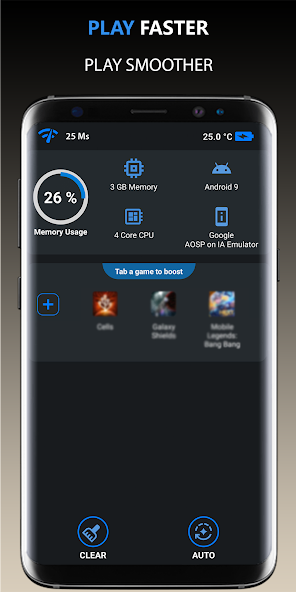
Use Performance Booster Apps
Performance booster apps can also help optimize gaming performance on Android. These apps work by freeing up RAM, managing background processes, and optimizing system settings to provide a smoother gaming experience. Some popular options include:
- Game Booster: Customizes device performance specifically for gaming.
- CCleaner: Cleans up unnecessary files and boosts system performance.
- GFX Tool: Allows you to customize graphics settings for specific games.
Using these apps can significantly enhance your gaming performance, allowing you to enjoy your favorite titles without interruption.
User Experiences
Many gamers have successfully tackled lag issues and improved their gameplay experience. Here are a few testimonials from users who faced similar challenges:
Aiman, 24, Kuala Lumpur: "I was really frustrated with lag while playing PUBG Mobile. After clearing the cache and optimizing my settings, I noticed a massive improvement. It felt like a different game!"
Farah, 30, Johor Bahru: "I had an older Samsung device that struggled with Call of Duty Mobile. After upgrading to a newer model, I couldn't believe the difference. No more lag, just smooth gameplay!"
Rahman, 19, Penang: "Using a performance booster app made a world of difference for me. I went from constant lag to smooth gaming sessions. Highly recommend it for anyone facing similar issues!"
FAQ
What causes game lag on Android?
Game lag on Android can be caused by several factors, including hardware limitations, software issues, and poor network connectivity. Older devices may have difficulty running newer games, while software bugs can hinder performance. Additionally, unstable internet connections can lead to frustrating lag during online gameplay.
How can I boost my Android's gaming performance?
To boost your Android's gaming performance, start by optimizing your game settings and clearing the app cache. Consider upgrading your device if it struggles with newer titles, and explore performance booster apps to help manage resources effectively.