Introduction
For many in the Malaysian gaming community, the thrill of an intense gaming session can be abruptly shattered by the frustrating issue of game lag. This phenomenon, characterized by delays between the player's input and the game’s response, can lead to missed opportunities and a diminished gaming experience. With over 70% of Android users reportedly experiencing game lag issues, it has become a pressing concern for gamers looking to enhance their performance. Whether you're diving into the latest mobile RPG or battling in a competitive arena shooter, understanding how to tackle game lag on Android is crucial.

Causes of Game Lag
Understanding the root causes of game lag is the first step towards finding effective solutions. Several factors may contribute to this frustrating experience:
- Hardware Limitations: Many Android devices, especially older models, may struggle with demanding games due to limited processing power and RAM. This can lead to significant frame rate drops and stutters.
- Network Issues: For online games, a weak or unstable internet connection can cause lag. High ping rates or packet loss can severely impact gameplay, making it crucial to connect to a reliable Wi-Fi network.
- Background Applications: Running multiple applications simultaneously can consume system resources, resulting in game lag. It's essential to close unnecessary apps to free up memory.
- Outdated Software: Failing to update your Android OS or game apps can lead to performance issues. Developers regularly release patches to optimize gameplay.
- Graphics Settings: High graphics settings can overwhelm less powerful devices, causing lag. Adjusting these settings can lead to a smoother experience.
Quick Fixes
While some causes of game lag may require more technical solutions, there are several quick fixes that you can implement immediately:
- Close Background Apps: Before starting your game, make sure to close any unnecessary applications running in the background. This can help to free up RAM and processing power.
- Clear Cache: Over time, your device accumulates cache data that can slow down performance. Go to your settings and clear the cache for your games to improve speed.
- Toggle Airplane Mode: If you're experiencing network-related lag, switching on airplane mode for a moment and then turning it off can refresh your connection.
- Lower Graphics Settings: In-game settings often allow you to adjust graphics quality. Lowering these settings can lead to a boost in FPS and reduce lag.
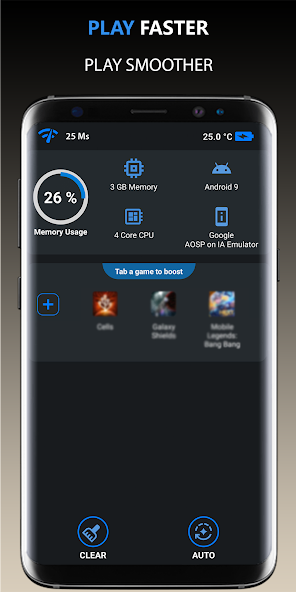
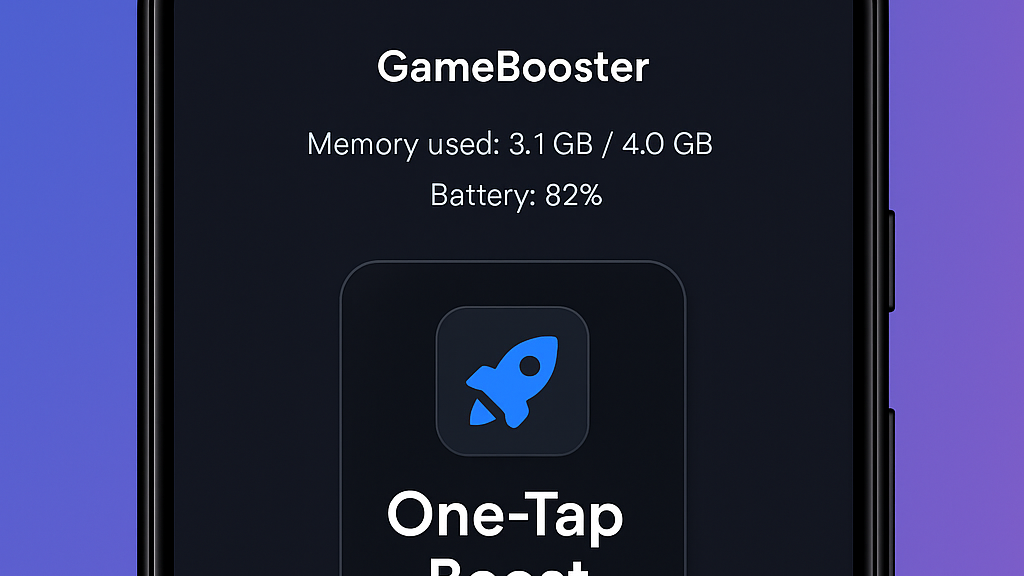
- Use Performance Booster Apps: Many apps are designed to optimize your device’s performance by freeing up memory and reducing background processes. Look for reputable options on the Google Play Store.

Advanced Solutions
If the quick fixes don't yield the desired results, consider these advanced solutions for optimizing your gaming experience:
- Upgrade Your Device: If you frequently encounter lag, it might be time to invest in a newer Android device with better hardware specifications. Look for models designed specifically for gaming.
- Adjust Developer Options: Enabling Developer Options on your Android device can provide further optimization settings. Options like “Window Animation Scale” and “Transition Animation Scale” can be reduced to improve performance.
- Use Game Mode: Many modern Android devices come with a built-in game mode that prioritizes resources for gaming. Enable this mode to optimize your device's performance when playing.
- Update Firmware and Software: Always ensure your Android OS and game apps are up to date. Updates often include performance enhancements and bug fixes that can resolve lag issues.
- Network Optimization: If you are playing online, using a wired connection through a mobile hotspot or Wi-Fi can significantly reduce lag. Additionally, choosing a server closer to your location can improve ping.
User Experiences
Many gamers have faced the daunting challenge of game lag and have found various ways to overcome it. Here are a few anecdotes from the Malaysian gaming community:
One user, Amir, a passionate mobile gamer, often found his favorite battle royale game lagging during intense matches. After implementing several quick fixes, such as closing background apps and lowering graphics settings, he noticed a significant improvement. "I was amazed at how much smoother my gameplay became," he said. "It felt like I had a brand new device!"
Another gamer, Siti, experienced lag while playing a popular role-playing game. After learning about network optimization, she switched to a more stable Wi-Fi connection and enabled game mode on her device. "The difference was night and day. I could finally enjoy the game without interruptions," she shared.
These experiences highlight the importance of both immediate and advanced solutions in tackling game lag. The right combination of fixes can lead to a seamless gaming experience, allowing you to fully immerse yourself in your favorite titles.
FAQ
- What causes game lag on Android? Game lag on Android can be caused by hardware limitations, network issues, background applications, outdated software, and high graphics settings.
- How can I boost my Android's gaming performance? You can boost your Android's gaming performance by closing background apps, clearing cache, using performance booster apps, lowering graphics settings, and ensuring your device's software is up to date.
By understanding the causes of game lag and implementing the solutions outlined in this guide, you can significantly enhance your gaming experience on Android in 2026. Whether you're a casual player or a competitive gamer, optimizing your device is essential for enjoying the best that mobile gaming has to offer.