Introduction
In 2026, the Malaysian gaming community continues to thrive, with more players enjoying a vast array of titles on their Android devices. However, one common hurdle that players face is game lag. This frustrating issue can severely impact the gaming experience, resulting in stuttering gameplay, delayed responses, and even crashes. Over 70% of Android users report encountering game lag, particularly during intense gaming sessions or online matches. Understanding the causes of this problem and implementing effective game lag fixes can significantly enhance your Android gaming experience.

Causes of Game Lag
Understanding the causes of game lag is the first step towards fixing it. Multiple factors contribute to this issue, ranging from hardware limitations to software conflicts. In Malaysia, where mobile gaming is a popular pastime, it’s crucial to identify these causes to enhance performance.
Device Specifications
Different Android devices come with varying specifications, which significantly affect gaming performance. For instance, brands like Samsung and Xiaomi offer a range of devices with different processing capabilities, RAM, and graphics performance. A device with a high-end processor and ample RAM can handle graphic-intensive games much better than a budget model. Players using devices with lower specifications may experience frequent lag, especially in demanding games. This is why it's vital to consider the specifications of your device when selecting games to play.
Network Issues
For online gaming, a stable internet connection is paramount. Poor network connectivity, whether due to Wi-Fi issues or mobile data limitations, can lead to significant lag. In Malaysia, areas with weak signal strength or high traffic can exacerbate these issues. Players often experience delays in input response and frame drops, which can be detrimental in competitive gaming scenarios.
Quick Fixes
If you're experiencing game lag, several quick fixes can help you reduce it immediately. These solutions are easy to implement and can lead to noticeable improvements in performance.
Optimizing Settings
One of the simplest ways to enhance game performance is by optimizing in-game settings. Reducing the graphics quality can lead to a smoother experience, especially on lower-end devices. Lowering the resolution, disabling shadows, and turning off anti-aliasing can significantly improve your frames per second (FPS) and reduce lag. Many games offer preset performance modes; selecting "Low" or "Balanced" can be beneficial for smoother gameplay.
Clearing Cache
Another effective method to speed up your gaming experience is by clearing the cache of your game applications. Over time, cached files can accumulate and slow down your device. To clear the app cache on Android, follow these steps:
- Go to Settings.
- Tap on Apps or Applications.
- Select the game from the list.
- Tap on Storage, then select Clear Cache.
Doing this regularly can help maintain optimal performance and reduce lag.
Advanced Solutions
For persistent lag issues, you may need to explore more advanced solutions that can provide long-term relief from game lag on your Android device.
Game Booster Apps
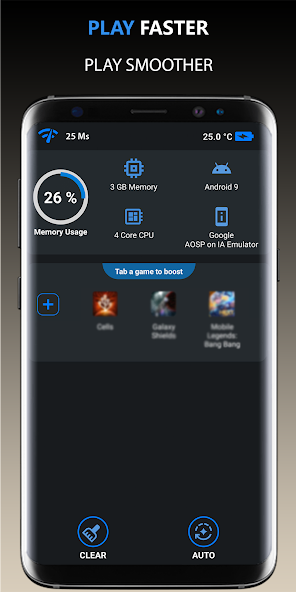
Game booster apps are designed to optimize gaming performance by managing device resources effectively. Popular apps like Game Booster and GFX Tool can help enhance performance by freeing up RAM and optimizing CPU usage. These applications can also adjust game settings automatically, ensuring you have the best possible experience tailored to your device's specifications. Users have reported up to a 50% reduction in lag after utilizing these tools.

Device Upgrades
If you find yourself consistently experiencing lag despite trying various fixes, it may be time to consider upgrading your device. Investing in a newer model with better specifications can dramatically improve your gaming experience. Look for devices with the latest processors, higher RAM, and better cooling systems. This is especially pertinent for avid gamers who play resource-intensive titles or engage in competitive online gaming.
User Experiences
Many users have successfully implemented these fixes to overcome game lag on their Android devices. For example, a Malaysian gamer shared their experience of upgrading from a mid-range device to a flagship model, resulting in a remarkable drop in lag and an overall smoother gameplay experience. With the new device, they could run games on high settings without any noticeable performance dips.
Another user highlighted the effectiveness of game booster apps, stating that after installing one, they experienced a significant improvement in FPS and a reduction in input delays during multiplayer matches. These testimonials illustrate the impact that simple adjustments and the right tools can have on gaming performance.
FAQs
What causes game lag on Android?
Game lag on Android can be attributed to several factors, including hardware limitations, software conflicts, and poor network connectivity. Devices with lower specifications may struggle with demanding games, while network issues can lead to delays in online gameplay.
How can I boost my Android's gaming performance?
Boosting your Android's gaming performance can be achieved through various methods, including optimizing in-game settings, clearing app cache, using game booster apps, and considering hardware upgrades. These steps can help you achieve a smoother and more enjoyable gaming experience.