Understanding Game Lag
Game lag is a phenomenon that can ruin the gaming experience, especially for avid mobile gamers in Malaysia. It refers to the delay between a player's input and the game's response, which can manifest as stuttering, freezing, or slow frame rates. For Android users, where mobile gaming has seen explosive growth, understanding game lag is crucial to enhance gameplay.
The impact of game lag on the gaming experience is significant. Imagine being in the heat of battle, only to have your actions delayed. This not only frustrates players but can also lead to missed opportunities in competitive games. For Malaysian gamers playing popular titles like PUBG Mobile or Mobile Legends, lag can mean the difference between victory and defeat. Therefore, knowing how to fix game lag is essential.
In 2026, as mobile gaming technology continues to advance, so does the need for players to address these performance issues. For Android users, particularly those with devices from brands like Samsung, Xiaomi, and OnePlus, optimizing device performance is more important than ever to ensure a smooth gaming experience.
Common Causes of Lag
To effectively tackle game lag, it's essential to identify its common causes. Here are some primary factors that contribute to lag on Android devices:
- Hardware Limitations: Older devices with less powerful processors or inadequate RAM may struggle with high-end games, leading to noticeable lag.
- Background Apps: Many Android devices run multiple apps simultaneously. Background processes can consume system resources, leaving less power for your game.
- Network Issues: A stable internet connection is vital for online gaming. Slow Wi-Fi or mobile data can lead to latency and lag, especially in multiplayer games.
By understanding these factors, Malaysian gamers can take proactive measures to minimize lag. Whether you're using a flagship Samsung Galaxy device or a budget Xiaomi phone, being aware of these issues can help you optimize performance.
Optimizing Game Settings
Another effective method to reduce game lag on Android is by optimizing in-game settings. Here are essential adjustments you can make:
- Graphics Quality: Lowering the graphics settings can significantly improve performance. Most games allow you to adjust the quality, ensuring smoother gameplay on devices with limited hardware.
- Frame Rate: If your game settings allow, cap the frame rate to a lower value. While higher frame rates can create smoother visuals, they can also burden the device, leading to lag.
- Disable Unnecessary Features: Features such as shadows, reflections, and other visual effects can be disabled. While they enhance visual appeal, they can also strain performance.

By making these adjustments, gamers using Android devices can enjoy a more responsive and enjoyable gaming experience. Whether you're playing on a high-end Google Pixel or a budget-friendly OnePlus, these settings can help mitigate lag.
Recommended Apps
For additional performance optimization, consider using apps specifically designed to enhance gaming on Android devices. Here are a few recommendations that have gained popularity among Malaysian gamers:
- Game Booster: This app optimizes your device's performance by closing background applications and freeing up RAM, allowing your games to run more smoothly.
- CCleaner: While primarily a cleaning app, CCleaner can help optimize your device by removing unnecessary files and applications that can slow down performance.
- Gaming Mode: Many Android devices now come with a built-in gaming mode. This feature prioritizes gaming traffic and minimizes distractions, ensuring a better gaming experience.
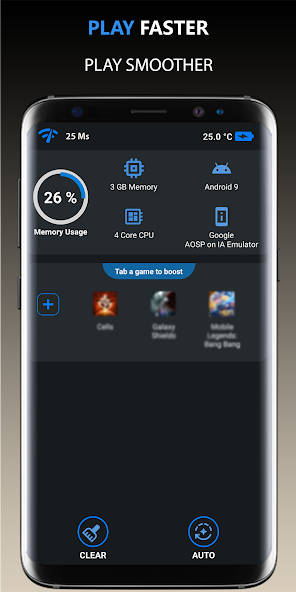
Utilizing these apps can significantly boost your gaming performance, helping you to enjoy your favorite titles without the frustration of lag. For Malaysian gamers who frequently play competitive multiplayer games, these optimizations can be a game-changer.
System Updates and Maintenance
Regular system updates and maintenance are vital for optimal performance on Android devices. Manufacturers such as Samsung, Xiaomi, and Google regularly release updates that can enhance device performance and security. Here’s why staying updated matters:
- Bug Fixes: Updates often come with fixes for performance-related bugs that may contribute to game lag.
- New Features: System updates may introduce new features that can enhance gaming performance, such as improved battery management or game-specific enhancements.
- Security Improvements: Keeping your device updated protects it from vulnerabilities that can be exploited, ensuring that your gaming data remains safe.
Additionally, regular maintenance, such as clearing your device's cache and uninstalling unused apps, can free up valuable resources. These practices not only help in reducing game lag but also extend the lifespan of your Android device.
Frequently Asked Questions
What causes game lag on Android?
Game lag on Android can be caused by various factors including hardware limitations, background applications running simultaneously, and network issues. Older devices may not have the processing power required to handle high-end games, while slow internet connections can lead to latency problems.
How can I boost performance for gaming on Android?
To boost performance for gaming on Android, consider optimizing your device settings by lowering graphics quality and frame rates, using performance optimization apps, and ensuring your system is regularly updated. Additionally, closing background applications can free up resources, allowing for a smoother gaming experience.
In 2026, with the growing popularity of mobile gaming, addressing game lag on Android devices has never been more crucial. By understanding the causes of lag, optimizing game settings, utilizing recommended apps, and maintaining your device, you can significantly enhance your gaming experience and enjoy your favorite titles without interruption.