Introduction
For many gamers in Malaysia, nothing is more frustrating than experiencing game lag on their Android devices. This issue can severely disrupt gameplay, leading to missed opportunities and a diminished overall gaming experience. With the rise of mobile gaming in 2026, understanding how to tackle game lag has become increasingly essential for both casual and competitive players alike.

Whether you're racing through the streets of a virtual city or strategizing in a competitive multiplayer game, lag can turn a thrilling experience into a frustrating ordeal. In this article, we'll explore the common causes of game lag specific to Android devices, provide quick fixes that you can implement immediately, and delve into advanced solutions for persistent issues.
Causes of Game Lag
Understanding the root causes of game lag is crucial in finding effective solutions. Many Android users in Malaysia face lag due to a variety of factors:
- Insufficient Hardware: Many older Android devices struggle to keep up with the demanding graphics and processing power required by modern games. Over 70% of Android users report experiencing lag due to hardware limitations.
- Network Issues: Poor Wi-Fi or mobile data connection can cause latency, leading to noticeable lag during online gaming.
- Background Processes: Apps running in the background can consume valuable system resources, resulting in a slower gaming experience.
- Outdated Software: Running outdated operating systems or game versions can lead to compatibility issues and increased lag.
- High Graphics Settings: Many games allow players to adjust graphical settings for better visuals, but higher settings can significantly strain your device's CPU and GPU.
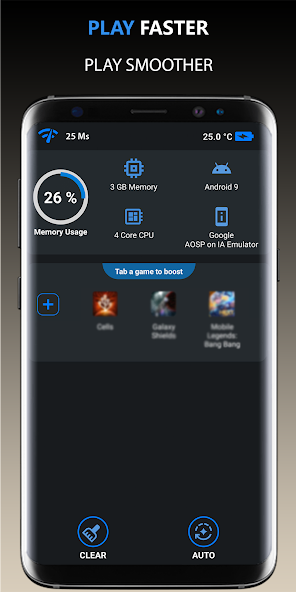
By identifying these causes, you can start taking steps to mitigate game lag and enhance your gaming performance.
Quick Fixes
If you're looking for immediate relief from game lag on your Android device, here are some quick fixes you can implement:
- Close Background Apps: Before launching your game, make sure to close any unnecessary apps running in the background. This can free up RAM and processing power, improving your gaming performance.
- Reset Your Device: A simple restart can clear temporary files and refresh your device’s memory, often resulting in improved performance.
- Adjust Graphics Settings: Lowering the graphics settings in your game can dramatically reduce lag. Most games provide options to balance performance and visuals, so find the right compromise for your device.
- Switch to Airplane Mode: If you’re playing an offline game, turning on Airplane Mode can prevent any background data usage that could affect performance.
- Use Performance Booster Apps: Downloading performance booster apps can help optimize your device's settings for gaming, potentially reducing lag by up to 50%.

Implementing these simple tips can lead to a smoother gaming experience, allowing you to focus on gameplay rather than frustration.
Advanced Solutions
For gamers dealing with persistent lag issues, more advanced solutions may be necessary. Here are a few to consider:
- Upgrade Your Device: If your Android device is several years old, it might be time to consider an upgrade. Newer models come with improved processors and graphics capabilities that can handle modern games with ease.
- Clear Cache: Regularly clearing the cache of your games and the Android system can improve performance by freeing up storage space and removing unnecessary files.
- Install Custom ROMs: Advanced users might consider installing custom ROMs that are optimized for gaming. These can boost performance and battery life significantly.
- Network Optimization: If online gaming is your primary focus, investing in a better router or using Ethernet over Wi-Fi (if possible) can reduce latency considerably.
- Regular Updates: Always keep your apps and operating system updated. Developers regularly release patches that fix bugs and improve performance, so staying updated can make a difference.
These advanced strategies require a bit more effort but can significantly enhance your overall gaming experience.
User Experiences
Real-life experiences from users who have successfully fixed their lag issues can offer valuable insights:
A local gamer, Farhan, shares, "I was frustrated with lag in PUBG Mobile on my older device. After lowering the graphics settings and closing background apps, I noticed a huge improvement. My gameplay was smoother, and I could finally enjoy the game without interruptions!"
Another user, Aisha, notes, "Switching to Airplane Mode while playing really helped in reducing lag during online matches. Coupled with a performance booster app, my gaming experience transformed."
These testimonials highlight the effectiveness of implementing both quick fixes and advanced solutions, making the gaming experience more enjoyable for Malaysian players.
FAQ
What causes game lag on Android?
Game lag on Android can be caused by insufficient hardware, network issues, background processes, outdated software, and high graphics settings. Identifying these factors can help you find the right solutions to improve performance.
How can I boost my Android's gaming performance?
You can boost your Android's gaming performance by closing background apps, lowering graphics settings, using performance booster apps, and ensuring your device's software is up to date. For more persistent issues, consider upgrading your device or optimizing your network connection.
By understanding game lag and implementing the tips and solutions provided in this article, Malaysian gamers can significantly enhance their gaming experience on Android devices in 2026. Don't let lag hold you back; take control and enjoy your gaming journey!