Introduction
For many gamers in Malaysia, nothing is more frustrating than experiencing game lag on their Android devices. Game lag can severely impact the gaming experience, causing delays, stutters, and an overall lack of responsiveness. In 2026, with the rise of mobile gaming, over 70% of Android users report facing game lag issues. Whether you're in a heated battle in Mobile Legends or exploring the vast landscapes of Genshin Impact, lag can ruin the fun. This guide will cover the main causes of game lag and provide practical solutions tailored for Malaysian gamers to enjoy a smoother gaming experience.

Causes of Game Lag
Understanding the reasons behind game lag is crucial for finding effective solutions. Lag can stem from various issues, including hardware limitations, software conflicts, and network problems. Let’s break these down further.
Hardware Limitations
The specifications of your Android device play a significant role in determining gaming performance. Devices with lower RAM, outdated processors, or inadequate GPU capabilities often struggle to run demanding games smoothly. For instance, a device with 2GB RAM may face significant challenges when trying to run graphics-heavy games, leading to noticeable lag. Upgrading to a device with at least 4GB of RAM and a modern processor can greatly enhance your gaming experience.
Software Conflicts
Software issues can also contribute to game lag. Sometimes, background applications consume system resources, leaving fewer resources available for your games. Additionally, outdated apps or operating systems can lead to compatibility issues, increasing the likelihood of lag. Regularly updating your apps and managing background processes can mitigate these problems.
Network Issues
In online gaming, a stable and fast internet connection is vital. Poor Wi-Fi signals, high latency, or network congestion can result in lag that disrupts gameplay. For Malaysian gamers, using a 5G network or a reliable broadband connection can help maintain smooth online sessions. Always ensure you are connected to a stable network to reduce potential lag during critical moments in your games.
Quick Fixes
If you're currently experiencing game lag, there are several immediate solutions you can try to improve performance.
Adjusting Game Settings
One of the simplest ways to reduce lag is by adjusting your game settings. Lowering graphics quality, reducing frame rates (FPS), or turning off background effects can significantly enhance performance. Many games offer an ‘Optimize’ option in their settings, which can automatically adjust these for you. By doing this, you may reduce lag by up to 50%, allowing for a smoother gaming experience.
Clearing Cache
Another effective method is clearing the app cache. Over time, cached data can build up and slow down your device, causing game lag. To clear an app's cache on Android, go to Settings > Apps, select the game, and tap on Clear Cache. This process can free up valuable resources and help your game run more smoothly.

Advanced Solutions
If basic fixes don't resolve your lag issues, here are some advanced solutions to consider.
Using Performance Boosting Apps
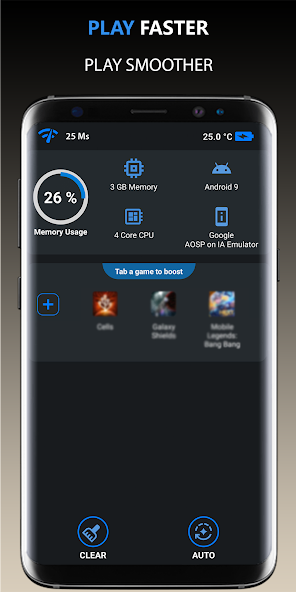
Performance boosting applications can optimize your Android device for gaming. Apps like Game Booster or Dr. Booster can help free up RAM, allocate resources effectively, and close background applications that may be causing lag. Many users have reported significant improvements in their gaming experience after using these apps, making them a worthwhile addition to your toolkit.
Upgrading Device Software
Keeping your device's firmware and applications up to date is crucial for optimal performance. Manufacturers often release updates that enhance the performance and compatibility of your device. Regularly check for updates in your device settings to ensure you are running the latest versions of your apps and the Android operating system. This simple step can prevent lag caused by outdated software.
User Experiences
Hearing from fellow gamers can provide valuable insights into overcoming game lag. Many Malaysian gamers have faced these frustrating issues but found effective solutions through trial and error. For example, a player named Ahmad shared that after clearing his app cache and using a performance booster app, he experienced a dramatic reduction in lag, allowing him to climb ranks in his favorite game.
Similarly, Sarah noted that adjusting her game's graphics settings not only improved performance but also made her device less hot during long gaming sessions. These real-life experiences illustrate that while game lag can be a common issue, there are practical steps that can be taken to improve your gaming experience on Android.
FAQ
What causes game lag on Android?
Game lag on Android can be caused by hardware limitations, software conflicts, and network issues. Devices with lower specifications may struggle with demanding games, while background applications and poor internet connections can exacerbate lag.
How can I boost my Android's gaming performance?
You can boost your Android's gaming performance by adjusting in-game settings, clearing app cache, using performance boosting apps, and keeping your device's software updated. These steps can help enhance your gaming experience and reduce lag.