Understanding Game Lag
Game lag is a frustrating issue that many gamers face, especially on mobile devices like Android. It refers to the delay between a player's action and the game's response, which can lead to an unsatisfying gaming experience. This lag can manifest as stuttering visuals, delayed inputs, or even disconnections during gameplay. In 2026, as the gaming community in Malaysia continues to grow, understanding game lag and its impact on performance is crucial for enhancing your gaming sessions.
In Malaysia, where mobile gaming has surged in popularity, addressing game lag is essential for competitive play, especially in multiplayer games. Whether you're battling it out in Mobile Legends or racing in Asphalt 9, a lag-free experience can make all the difference between victory and defeat.
Common Causes of Lag
There are several factors that contribute to game lag on Android devices. Understanding these causes can help you identify and mitigate them effectively:
- Network Issues: One of the primary culprits of game lag is unstable internet connectivity. In Malaysia, where mobile data networks can vary, experiencing latency due to poor signal strength can severely impact your gameplay.
- Device Performance: Older Android models may struggle with newer games that require higher processing power. Insufficient RAM or CPU speed can lead to lag, especially during graphically intensive moments.
- Background Processes: Apps running in the background consume system resources, which can lead to reduced performance. This is particularly common when multiple apps are open while gaming.
- Graphics Settings: High graphics settings can overwhelm the device's capabilities, resulting in lag. Finding a balance is crucial for smooth gameplay.
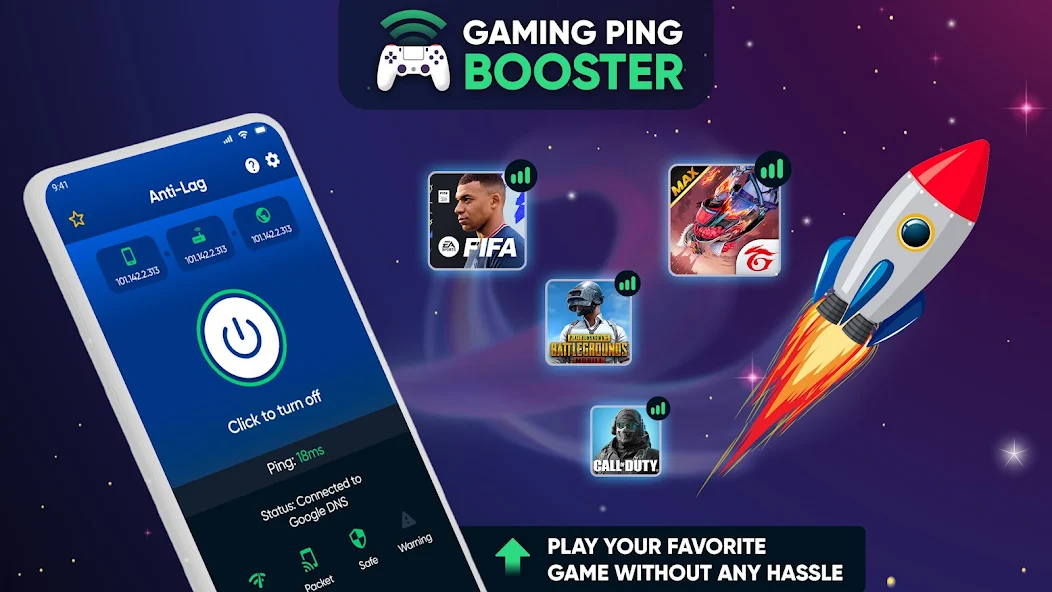
By recognizing these factors, you can take proactive measures to improve your gaming performance and reduce lag. For instance, if you're frequently disconnected during matches, checking your network connection should be your first step.
Optimizing Game Settings
Adjusting in-game settings is one of the simplest ways to enhance performance and minimize lag on your Android device. Here are some effective tips:
- Lower Graphics Quality: Most games have adjustable graphics settings. Lowering these settings can significantly boost performance, especially on older devices.
- Disable V-Sync: While V-Sync can reduce screen tearing, it can also introduce input lag. Disabling this option may improve responsiveness.
- Adjust Frame Rate: If the game allows, set the frame rate to a lower value if you're experiencing lag. A consistent frame rate is often more important than a high one.
- Turn Off Background Effects: Many games offer options to disable or reduce background effects and animations. This can free up system resources for more critical gameplay elements.

By tweaking these settings, you can customize your gaming experience to fit your device's capabilities. This not only reduces lag but also enhances your overall enjoyment of the game.
Recommended Apps
In addition to optimizing game settings, several apps can help enhance your Android gaming performance. Here are some top recommendations for the Malaysian gaming community:
- Game Booster: This app optimizes your device's resources for gaming by closing background apps and processes, ensuring that your game runs smoothly.
- CCleaner: Known for freeing up storage space, CCleaner can also help improve performance by removing unnecessary files that may be slowing down your device.
- Network Signal Info: This app helps you monitor your network connection, allowing you to identify weak signals and take appropriate action to improve connectivity.
- GFX Tool: Specifically designed for games like PUBG Mobile, GFX Tool allows you to customize graphics settings to optimize performance without sacrificing visual quality.
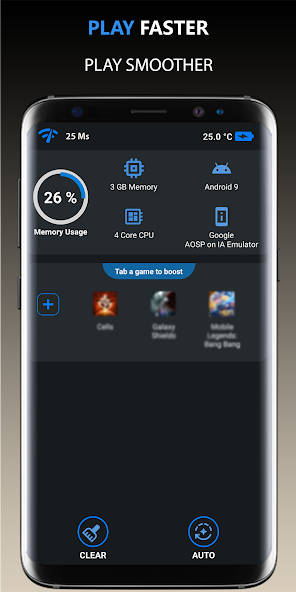
Using these performance optimization apps can lead to a more seamless gaming experience, allowing you to focus on what matters most—enjoying the game.
System Updates and Maintenance
Keeping your Android device updated is essential for optimal performance. System updates often come with performance improvements and bug fixes that can help reduce game lag. Here are some maintenance tips to keep in mind:
- Regular Updates: Check for system and app updates regularly. Developers often release patches that can enhance performance and fix bugs that contribute to lag.
- Clear Cache: Periodically clearing the cache of your games and apps can free up storage space and improve performance.
- Uninstall Unused Apps: If your device is cluttered with apps you no longer use, consider uninstalling them to free up resources.
- Reboot Your Device: Restarting your device can clear temporary files and processes that may be consuming resources unnecessarily.
In Malaysia’s vibrant gaming scene, staying on top of these maintenance tasks can help ensure that your device operates at peak performance, reducing the likelihood of game lag.
FAQ
What causes game lag on Android?
Game lag on Android can be caused by various factors, including network issues, device performance limitations, background processes consuming resources, and high graphics settings that overwhelm the device's capabilities.
How can I boost performance for gaming on Android?
To boost gaming performance on Android, you can optimize game settings by lowering graphics quality, use performance optimization apps, keep your device updated, and regularly clear cache and unused apps.
By following these guidelines, Malaysian gamers can unlock a smoother gameplay experience and enjoy their favorite titles without the frustration of game lag. Whether you're a casual player or a competitive gamer, implementing these strategies will ensure that you have the best possible gaming experience on your Android device in 2026.