Understanding Game Lag
Game lag is one of the most frustrating experiences for gamers, especially on mobile devices like Android. It refers to the delay between a player's action and the game's response, which can lead to missed opportunities, frustrating gameplay, and an overall diminished gaming experience. In 2026, statistics indicate that over 70% of mobile gamers in Malaysia have encountered game lag, with 40% reporting it as a significant factor in their decision to uninstall a game.
Common Causes of Lag
Understanding the common causes of lag can be the first step in addressing this issue effectively. Here are the primary factors contributing to game lag:
- Device Performance: Older Android devices with outdated processors, insufficient RAM, or limited storage can struggle to run modern games smoothly. High-demand games require significant resources that older hardware may not provide.
- Internet Connectivity: A stable internet connection is crucial for online gaming. Slow or unstable Wi-Fi or mobile data can lead to significant delays. In Malaysia, many gamers face this issue, especially in rural areas where connectivity may be less reliable.
- Game Optimization: Not all games are optimized for every device. Some games may be poorly coded, leading to inefficiencies that cause lag. Developers are continuously working on updates, but not all devices receive them promptly.
Optimizing Game Settings
Adjusting your game settings can significantly enhance performance and reduce lag. Here are some effective tips:
- Lower Graphics Settings: Many games allow players to adjust graphics quality. Reducing the resolution, textures, and effects can free up resources, helping your device run the game more smoothly.
- Disable Background Processes: Close any unnecessary apps running in the background. This will free up RAM and processing power for your game. Use the task manager on your Android device to identify and close these apps.
- Enable Game Mode: Many Android phones come with a 'Game Mode' feature that optimizes device performance specifically for gaming. Enabling this mode can help prioritize resources for your games.

Recommended Apps
Several applications can help optimize your Android device's performance, reducing game lag effectively. Here are some popular choices:
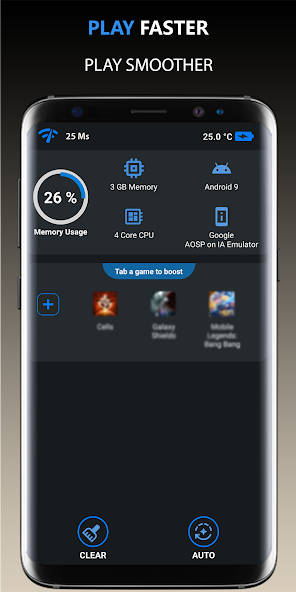
- Game Booster: This app optimizes your device's performance specifically for gaming by managing CPU usage and freeing up RAM. It's user-friendly and can help reduce lag significantly.
- CCleaner: A well-known app for cleaning up unnecessary files and cache, CCleaner can help free up space and improve your device’s performance, reducing lag in games.
- Greenify: This app helps manage background processes that consume resources. By hibernating unused apps, you can free up memory, allowing your game to run more smoothly.
System Updates and Maintenance
Keeping your Android system updated is crucial for optimal gaming performance. Here’s why:
- Security Patches: Regular updates often include security patches that protect your device from vulnerabilities. This can lead to a more stable gaming environment.
- Performance Improvements: Manufacturers regularly optimize software to improve performance. Running the latest version of Android can enhance your overall gaming experience.
- Regular Maintenance: Schedule regular maintenance checks on your device. Clear cache, uninstall unused apps, and ensure your storage is not overloaded. A well-maintained device is less likely to experience lag.
FAQ
What causes game lag on Android?
Game lag on Android can be caused by several factors, including device performance limitations, poor internet connectivity, and insufficient game optimization. Older devices may struggle with newer games, while network issues can lead to lag during online gameplay.
How can I boost performance for gaming on Android?
To boost gaming performance on Android, you can lower graphics settings, close background apps, enable Game Mode, and consider using performance optimization apps. Keeping your system updated and performing regular maintenance will also help maintain smooth gameplay.
In summary, addressing game lag on your Android device involves a combination of understanding its causes, optimizing settings, utilizing recommended apps, and maintaining your system. By implementing these strategies, Malaysian gamers can significantly enhance their gaming experience in 2026.