Understanding Game Lag
Game lag can be a gamer’s worst nightmare, turning an exciting gaming session into a frustrating experience. Essentially, game lag refers to the delay between a player’s input and the game’s response. This can manifest as stuttering graphics, delayed actions, or even complete freezes, which can significantly hinder gameplay, especially in competitive settings. For gamers in Malaysia, where mobile gaming is prevalent, understanding and addressing game lag is crucial for an optimal gaming experience.
Common Causes of Lag
Game lag on Android devices can stem from various factors, and identifying these causes is the first step to finding a solution. Here are some common culprits:
- Device Performance: Older Android devices may struggle to run the latest games, leading to lag. Insufficient RAM or processing power can result in slowdowns, especially with graphically intensive titles.
- Network Issues: A stable internet connection is vital for online gaming. High latency or packet loss can cause significant lag, making it essential to check your Wi-Fi or mobile data connection.
- Background Processes: Apps running in the background can consume resources, leaving less available for your game. This can lead to decreased performance and increased lag.
- Overheating: Prolonged gaming sessions can cause your device to heat up, leading to thermal throttling, which reduces performance to cool down the device.
Optimizing Game Settings
Adjusting in-game settings can have a significant impact on performance and help reduce lag. Here are some tips for optimizing your game settings:
- Lower Graphics Settings: Reducing the graphics quality can greatly enhance performance. While it might not look as stunning, smoother gameplay is often worth the trade-off.
- Disable V-Sync: Vertical sync can introduce additional input lag. Turning it off may result in a more responsive gaming experience.
- Reduce Frame Rate: Limiting the frame rate to a stable number can help prevent the game from overloading your device.
- Turn Off Background Music and Effects: Minimizing audio settings can also help free up resources for better performance.

Recommended Apps
Several apps can assist in optimizing your Android device’s performance, ultimately reducing game lag. Here are some popular choices:
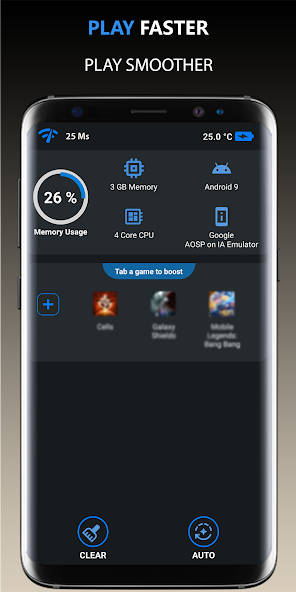
- Game Booster: This type of app can help close background applications, free up RAM, and optimize device settings specifically for gaming.
- CCleaner: A great tool for cleaning junk files that may slow down your device, CCleaner can help maintain performance and ensure smoother gameplay.
- Network Signal Info: This app provides detailed information about your network connection, helping you diagnose and address any connectivity issues that may be causing lag.
- GFX Tool: Perfect for graphics-intensive games, GFX Tool allows you to customize resolution and graphics settings to improve performance.
System Updates and Maintenance
Keeping your Android device updated is vital for maintaining optimal performance. Regular updates often include patches and optimizations that can help reduce game lag. Additionally, routine maintenance can keep your device running smoothly:
- Update Your Device: Always ensure you're running the latest version of Android. Updates can fix bugs and improve performance considerably.
- Clear Cache: Regularly clearing the cache of your apps can free up space and improve speed. This can be done through the device settings.
- Uninstall Unused Apps: Reducing the number of installed apps can help allocate more resources to your games, improving performance.
- Battery Health: Be mindful of your battery’s health. A degraded battery can impact performance. Consider replacing it if it’s no longer holding a charge effectively.
FAQs
What causes game lag on Android?
Game lag on Android can be caused by several factors, including device performance limitations, network issues, background applications consuming resources, and overheating of the device during extended gameplay sessions.
How can I boost performance for gaming on Android?
Boosting performance for gaming on Android involves several steps: optimizing in-game settings, using performance booster apps, keeping your device updated, and performing regular maintenance such as clearing cache and uninstalling unnecessary applications.
By addressing these factors and utilizing the tips outlined above, Malaysian gamers can significantly enhance their gaming experience, reducing lag and enjoying smoother gameplay on their Android devices. With the right approach and a bit of maintenance, you can ensure that you’re always ready for your next gaming adventure in 2026.