Understanding Game Lag
Game lag is a frustrating phenomenon that plagues many mobile gamers, particularly those using Android devices. It refers to the noticeable delay between a player's action and the game's response, leading to a poor user experience. In Malaysia, where mobile gaming is a favorite pastime, encountering game lag can ruin the excitement of a highly anticipated match. Whether you’re playing popular titles like PUBG Mobile or Mobile Legends, experiencing lag can be detrimental to your gameplay, resulting in missed shots, delayed movements, and an overall frustrating experience.
Lag affects not just individual performance but can also impact team dynamics, making it crucial for gamers to find ways to mitigate this issue. In 2026, with advancements in mobile technology, there's no reason why anyone should suffer from lagging games on their Android devices.
Common Causes of Lag
Identifying the root causes of game lag is the first step toward crafting a solution. Here are some common culprits:
- Network Issues: A weak Wi-Fi connection or unstable mobile data can lead to significant latency. In Malaysia, where internet connectivity varies widely, this is a common issue for many gamers.
- Device Performance: Older Android devices or those with insufficient processing power may struggle to run high-performance games smoothly. Brands like Samsung and Xiaomi offer a range of devices with varying specs, and gamers should consider these factors when choosing a device.
- Background Processes: Many apps running simultaneously can consume your device's RAM, leaving less available for your game. Managing background processes is essential for optimal performance.
Optimizing Game Settings
Adjusting in-game settings can significantly enhance your gaming experience. Here are some tips to optimize your game settings:
- Lower Graphics Settings: Many games allow you to adjust the graphics quality. Lowering this can lead to improved performance, particularly on devices with mid-range specifications.
- Adjust Frame Rates: Some games let you choose your desired frame rate. Opting for a lower frame rate can help maintain smoother gameplay on older devices.
- Close Background Apps: Before launching your game, make sure to close any unnecessary background applications to free up resources. This simple step can lead to a noticeable improvement.

Recommended Apps
In 2026, several apps can help you tackle game lag effectively. Here are some popular choices, including local options that cater specifically to Malaysian users:
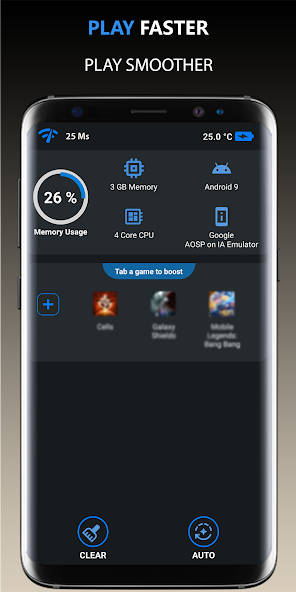
- Game Booster: This app optimizes your device’s performance by managing RAM and CPU usage before you start gaming.
- Network Signal Info: A handy tool that helps you monitor your internet connection, so you can troubleshoot any network-related issues.
- Local Recommendations: Apps like MySpeedTest help you gauge your internet speed, which is crucial for online gaming. It’s particularly popular among Malaysian gamers seeking to optimize their connectivity.
System Updates and Maintenance
Keeping your Android device up-to-date is vital for maintaining optimal gaming performance. Updates often include bug fixes that can resolve existing lag issues and improve overall system performance. Here’s how to stay updated:
- Regularly Check for Android Updates: Go to your device's settings and check for system updates to ensure you’re running the latest version.
- Update Your Apps: Always use the latest version of your games and optimization apps. Developers frequently release patches to enhance performance and fix bugs.
- Device Maintenance: Periodically clear your cache and uninstall apps you no longer use. This helps free up space and resources, allowing your games to run more smoothly.
FAQs
What causes game lag on Android?
Game lag on Android can be attributed to various factors, including poor network connectivity, outdated hardware, insufficient RAM due to background apps, and high in-game graphics settings.
How can I boost performance for gaming on Android?
To boost performance, optimize your game settings, close unnecessary background applications, use performance-enhancing apps, and ensure your device and games are updated regularly.
By following these strategies, you can significantly reduce game lag on your Android device, whether you own a Samsung, Xiaomi, or OnePlus. The gaming community in Malaysia deserves a smooth and enjoyable experience, and with the right approach, you can achieve just that!