Top 5 Ways to Fix Game Lag on Your Android Device in 2026
For Malaysian gamers, enjoying a seamless gaming experience on Android devices is crucial, especially with the rise of competitive gaming. However, game lag can be a frustrating hurdle. Whether you're diving into the latest mobile titles or playing classic favorites, understanding how to mitigate lag is essential for an optimal gaming session. In this article, we’ll explore common causes of game lag, quick fixes, performance-enhancing apps, and crucial settings adjustments to elevate your gaming performance in 2026.
Common Causes of Game Lag
Before we jump into solutions, it's vital to identify the common culprits behind game lag. This understanding can help you tackle the problem more effectively. Here are some primary reasons:
- Network Issues: A stable internet connection is essential for online gaming. Poor Wi-Fi or mobile data connectivity can lead to significant lag.
- Background Apps: Many apps running simultaneously can consume system resources, leaving less power for your games. This can cause stuttering and delays.
- Device Heat: Overheating can throttle your device's performance. Extended gaming sessions can lead to high temperatures which, in turn, can result in lag.
By recognizing these factors, you can better prepare to fix lag issues that may arise while gaming on your Android device.
Quick Fixes
Sometimes, the simplest solutions can lead to immediate improvements. Here are quick actions you can take to reduce lag:
- Clear Cache: Over time, your device accumulates cached data, which can slow down performance. Clearing the cache can significantly improve gaming performance. To do this, go to Settings > Storage > Cached Data and clear it.
- Close Background Apps: Before launching your game, make sure to close any unnecessary apps running in the background. This can free up RAM and processing power, reducing lag.
- Restart Your Device: A simple restart can solve many performance issues. It refreshes system resources and can help in resolving temporary glitches.
Implementing these quick fixes can often lead to noticeable improvements in gaming performance. However, if you continue to face issues, it may be time to explore more advanced solutions.
Apps to Improve Performance
Several apps can help optimize your gaming experience on Android. Here are some recommendations popular among Malaysian gamers:
- Game Booster: This app temporarily disables background processes and optimizes system resources for gaming. It can significantly reduce lag and improve frame rates.
- Greenify: This app helps manage background apps. By 'hibernating' apps that you aren’t using, it minimizes resource consumption, leaving more power for your games.
- CCleaner: Known for its cleaning capabilities, CCleaner can help you clear cache and manage storage space efficiently, improving overall device performance.
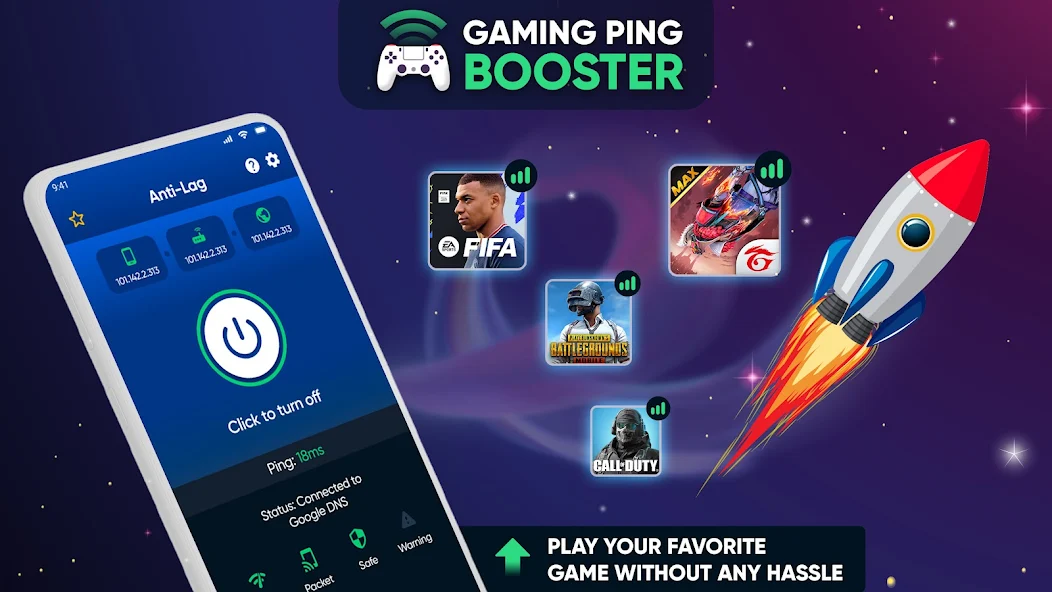
Using these applications not only optimizes your device for gaming but also helps manage resources more effectively, ensuring a smoother experience.
Settings Adjustments
Sometimes, the default settings on your Android device may not be optimized for gaming. Here are some settings adjustments that can help:
- Adjust Graphics Settings: Many games allow you to tweak graphics settings. Lowering the graphics quality can result in a smoother gameplay experience, especially on lower-end devices.
- Battery Optimization: While it’s essential to save battery life, aggressive battery optimization can interfere with gaming performance. Consider disabling battery optimization for your gaming apps in Settings > Battery > Battery Optimization.
- Update Your Device: Keeping your Android OS and apps up-to-date ensures that you have the latest performance enhancements and bug fixes. Go to Settings > System > System Updates to check for updates.
These adjustments can lead to significant improvements in gaming performance, making your gaming sessions more enjoyable.
FAQs about Game Lag and Performance Optimization
What causes game lag on Android?
Game lag on Android can be caused by several factors, including poor network connectivity, insufficient device resources due to background apps, and overheating. Identifying these causes is the first step in resolving lag issues.
How can I boost my gaming performance on Android?
To boost gaming performance on Android, you can clear cache, close unnecessary background apps, use performance optimization apps, adjust graphics settings, and keep your device updated. Additionally, managing your battery settings can also enhance performance.
By understanding and implementing these strategies, Malaysian gamers can significantly reduce game lag and enjoy a more seamless gaming experience on their Android devices in 2026. Whether you're playing with friends or competing in online tournaments, optimizing your device for gaming is vital for achieving the best performance.