Top 5 Ways to Fix Game Lag on Android in 2026
As the gaming landscape continues to evolve in 2026, many Malaysian gamers still face a common hurdle: game lag on Android devices. Whether you're diving into the latest mobile titles or enjoying classic games, experiencing lag can be frustrating. But fear not! This guide will provide you with actionable steps to optimize your Android device and enhance your gaming experience.
Common Causes of Game Lag
Before diving into solutions, it’s essential to understand what causes game lag. Here are some typical culprits:
- Hardware Limitations: Older Android devices may struggle to handle graphically intense games. Limited RAM and outdated processors can lead to sluggish performance.
- Poor Internet Connection: Many games, especially multiplayer titles, rely heavily on a stable internet connection. A weak Wi-Fi signal or slow mobile data can cause noticeable lag.
- Background Apps: Running multiple applications simultaneously can consume your device's resources, leading to decreased gaming performance. Apps running in the background can drain RAM and processing power.
Understanding these factors is the first step to mitigating lag and enhancing your gaming experience.
Quick Fixes
Sometimes, a few quick fixes can significantly improve your gaming performance. Here’s how to tackle game lag immediately:
- Restart Your Device: A simple restart can clear temporary files and refresh system resources, often improving performance.
- Close Background Apps: Before starting your game, close any unnecessary apps running in the background. This action frees up RAM and CPU resources for gaming.
- Optimize Device Settings: Adjusting settings such as screen brightness or enabling battery saver mode can help. Reducing overall resource usage can lead to better gaming performance.
These quick fixes are often the first line of defense against game lag, and you can implement them in seconds.
Apps to Improve Performance
In addition to manual adjustments, several applications can help optimize your gaming performance on Android. Here are some popular options available in Malaysia:
- Game Booster: This app optimizes your device's resources by closing background processes and freeing up RAM, ensuring that your games run smoothly.
- Clean Master: Known for its cache clearing capabilities, Clean Master helps you remove junk files, which can improve overall device performance, including gaming.
- GFX Tool: For gamers who want to tweak graphics settings, GFX Tool allows users to customize resolution, graphics quality, and frame rates, reducing lag in demanding games.
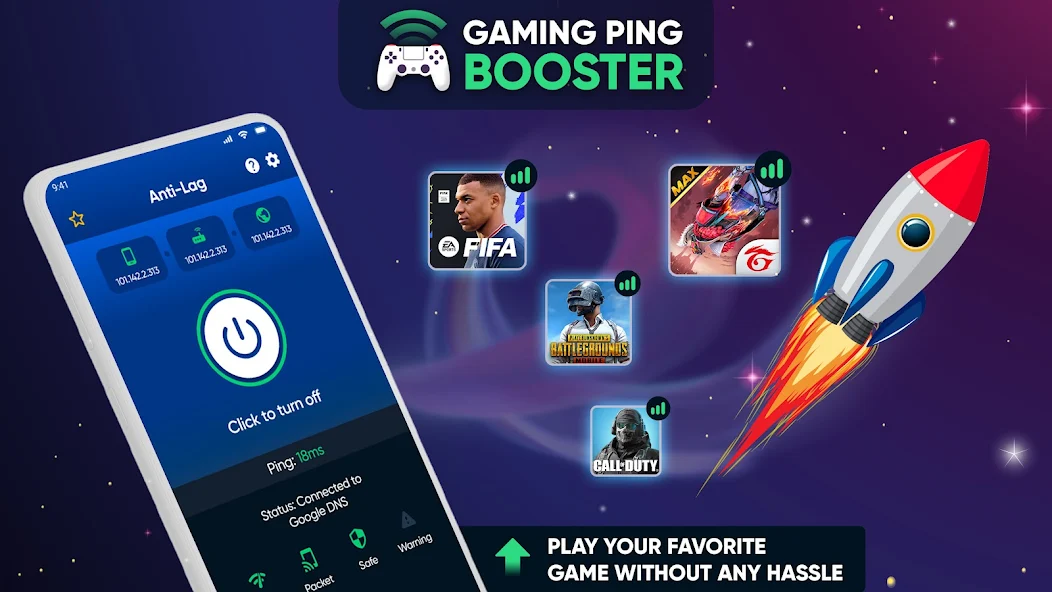
These applications can be game-changers, especially for gamers who frequently experience lag. They not only help in optimizing performance but also in managing device resources efficiently.
Settings Adjustments
Finally, adjusting specific settings on your Android device can make a noticeable difference in gaming performance. Here’s what to look at, particularly for popular brands:
Samsung Devices:
- Go to Settings > Device Care > Battery > App Power Management. Here, you can set your games to not sleep in the background.
- Adjust Graphics settings in games through the Game Launcher app, opting for lower settings to reduce lag.
Google Pixel Devices:
- Under Settings > Apps, you can restrict background data for apps that consume too many resources.
- Enable Developer options (by tapping Build number seven times) and limit background processes.
OnePlus Devices:
- Use the Gaming Mode available in the settings to prioritize gaming traffic and minimize distractions.
- Check the Battery Saver settings to ensure your device isn’t limiting performance during gaming sessions.
Xiaomi Devices:
- Adjust MIUI Optimization settings to ensure that your device is configured for better gaming performance.
- Use the Game Turbo feature that prioritizes game performance over other apps.
By making these adjustments, you can significantly enhance your gaming experience, ensuring that you enjoy smooth gameplay without interruptions.
FAQs
What causes game lag on Android?
Game lag on Android can be caused by several factors, including hardware limitations, poor internet connections, and background apps consuming system resources. Understanding these causes allows for better troubleshooting and optimization.
How can I boost my gaming performance on Android?
You can boost gaming performance on your Android device by closing background apps, adjusting settings, clearing cache, and using optimization apps. Regular maintenance and updates can also help in keeping your device running smoothly.
In conclusion, tackling game lag on Android in 2026 requires a combination of understanding the causes, implementing quick fixes, utilizing performance-enhancing apps, and adjusting device settings. By following these steps, gamers in Malaysia can enjoy a more seamless gaming experience and say goodbye to frustrating lags. Happy gaming!