Top 5 Game Lag Fixes for Android in 2026
Game lag is a common annoyance for gamers, especially for those using Android devices. As the gaming landscape evolves, lag can ruin your experience, whether you’re battling it out in the latest mobile games or exploring vast open worlds. In Malaysia, where mobile gaming is incredibly popular, understanding how to fix game lag is crucial. In this guide, we’ll explore the common causes of game lag, quick fixes you can implement right away, apps that can improve your gaming performance, and settings adjustments you can make to enhance your Android device's capabilities.
Common Causes of Game Lag
Understanding why game lag occurs is the first step in resolving it. Here are some common reasons that contribute to this frustrating issue:
- Network Issues: A poor Wi-Fi connection or weak mobile data can lead to significant lag. In Malaysia, where internet speeds can vary greatly, this is often a primary culprit.
- Device Performance: If your Android device is outdated or low on resources, it may struggle to run graphically intensive games. Devices from brands like Samsung, Google, OnePlus, and Xiaomi can experience performance drops if they are not optimized properly.
- Background Apps: Apps running in the background can consume your device's resources, leading to game lag. It’s essential to manage these apps effectively.
- Insufficient Storage: When your device's storage is nearly full, it may slow down operations, including gaming. Regularly clearing out unnecessary files can help.
- Graphics Settings: Some games automatically set high graphics settings that your device might struggle with. Adjusting these settings can alleviate lag.
Quick Fixes
Now that we know what causes game lag, let’s delve into some quick and easy fixes that any gamer can implement:
- Clear Cache: Regular cache clearing can significantly improve your gaming performance. To do this, go to Settings > Storage > Cached data and clear it. This will free up space and resources, enhancing your device's performance.
- Close Background Apps: Before launching your game, close all unnecessary background applications. This can be done by accessing the recent apps menu and swiping them away. Less clutter means more resources for your game.
- Switch to Airplane Mode: If you are experiencing lag due to a poor internet connection, activating Airplane Mode and then re-enabling Wi-Fi can sometimes stabilize your connection.
- Restart Your Device: A simple restart can refresh your device’s memory and clear temporary files that may be causing lag.
- Lower Graphics Settings: Most games allow you to adjust the graphics settings. Lowering these settings to medium or low can significantly reduce lag.
Apps to Improve Performance
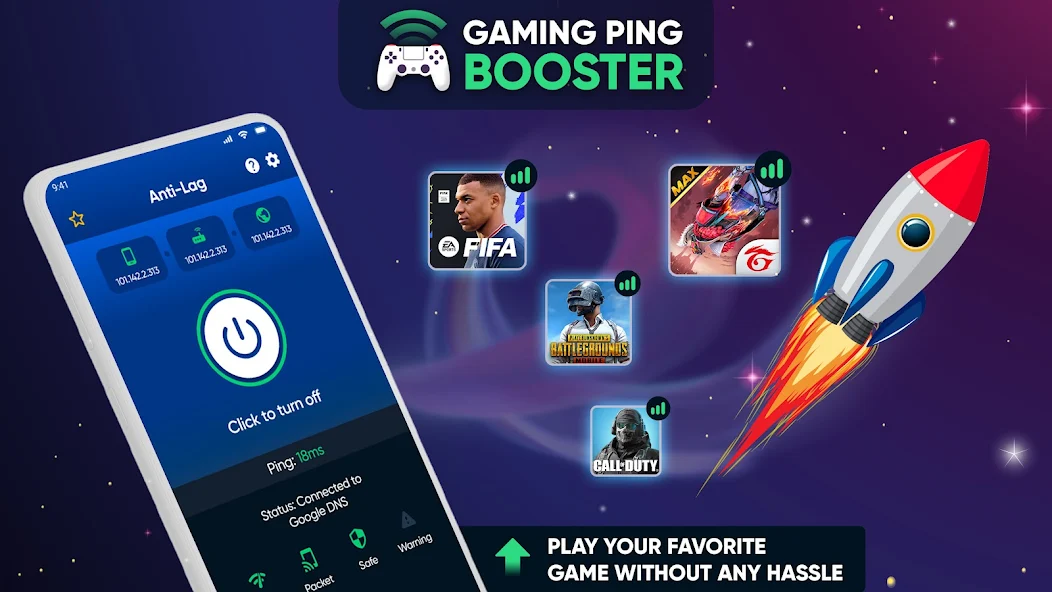
Several apps are available that can help optimize your Android device specifically for gaming. Here are some recommendations tailored for gamers in Malaysia:
- Game Booster: This app effectively manages background processes and optimizes resources for gaming. It’s designed to improve frame rates and reduce lag.
- CCleaner: While primarily a cleaning app, CCleaner can help clear cache files and manage storage, making your device run more smoothly.
- GFX Tool: If you're playing graphically demanding games like PUBG Mobile, GFX Tool allows you to customize graphics settings beyond what the game’s default settings offer, helping to reduce lag.
- Dr. Booster: This app specializes in memory boosting and game acceleration, ensuring your device has enough resources for the best gaming experience.
- Greenify: This app helps manage background processes efficiently. It can significantly reduce lag by hibernating apps that you’re not currently using.
Settings Adjustments
In addition to quick fixes and apps, adjusting specific settings on your Android device can further improve gaming performance:
- Developer Options: By enabling Developer Options (found in Settings > About Phone > tap on Build Number seven times), you can access settings like Background Process Limit to limit the number of apps running simultaneously.
- Disable Animations: In Developer Options, you can also reduce or turn off window and transition animations, which can help your device run more smoothly during gameplay.
- Battery Saver Settings: While battery saver is useful for extending your device's life, it can throttle performance. Consider disabling it while gaming for optimal performance.
- Network Settings: Switching from a Wi-Fi connection to mobile data or vice versa can help. Ensure that your connection is stable and fast enough for gaming.
- Storage Management: Regularly check storage and delete unnecessary files or apps. Keeping at least 15-20% of your storage free can help maintain performance.
FAQ
What causes game lag on Android?
Game lag on Android can be caused by several factors, including network issues, device performance limitations, background apps consuming resources, insufficient storage, and high graphics settings that exceed your device's capabilities.
How can I boost my gaming performance on Android?
You can boost your gaming performance on Android by clearing cache, closing background apps, using game optimization apps, adjusting graphics and device settings, and ensuring a stable internet connection.
By incorporating these tips and tricks, Malaysian gamers can significantly reduce game lag and enhance their overall gaming experience. Whether you’re a casual player or a competitive gamer, optimizing your Android device is crucial for enjoying the latest titles without interruptions.